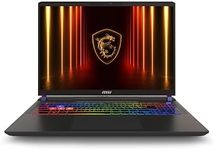
Buying Guide for the Best Ultra Thin Gaming Laptop
Choosing an ultra-thin gaming laptop can be a bit challenging due to the need to balance performance with portability. These laptops are designed to be lightweight and slim, making them easy to carry around, but they also need to pack enough power to handle demanding games. When selecting the right ultra-thin gaming laptop for you, it's important to consider several key specifications to ensure you get the best performance without compromising on portability.Processor (CPU)The processor, or CPU, is the brain of your laptop and is crucial for overall performance. For gaming, you need a powerful CPU to handle the game's demands and ensure smooth gameplay. CPUs are typically divided into segments like entry-level, mid-range, and high-end. Entry-level CPUs are suitable for less demanding games, mid-range CPUs can handle most modern games at decent settings, and high-end CPUs are for those who want the best performance for the latest and most demanding games. Choose a CPU based on the types of games you play and how future-proof you want your laptop to be.
Graphics Card (GPU)The graphics card, or GPU, is responsible for rendering images and videos, making it a critical component for gaming. A powerful GPU ensures that games run smoothly and look great. GPUs are categorized into integrated and dedicated. Integrated GPUs are built into the CPU and are suitable for less demanding games, while dedicated GPUs are separate components that offer much better performance for modern and graphically intensive games. If you play high-end games or want to experience games at higher settings, opt for a laptop with a dedicated GPU.
RAMRAM, or Random Access Memory, is important for multitasking and running games smoothly. It temporarily stores data that your laptop needs to access quickly. For gaming, having enough RAM ensures that your games run without lag. Ultra-thin gaming laptops typically come with 8GB, 16GB, or 32GB of RAM. 8GB is the minimum for gaming, 16GB is ideal for most gamers, and 32GB is for those who run very demanding games or multitask heavily while gaming. Choose the amount of RAM based on your gaming needs and whether you plan to use the laptop for other memory-intensive tasks.
StorageStorage determines how much space you have for games, applications, and files. There are two main types of storage: HDD (Hard Disk Drive) and SSD (Solid State Drive). SSDs are faster and more reliable but usually more expensive, while HDDs offer more storage space at a lower cost but are slower. For gaming, an SSD is preferable because it significantly reduces load times and improves overall system responsiveness. Many ultra-thin gaming laptops come with a combination of both, offering the speed of an SSD for your operating system and games, and the capacity of an HDD for other files. Choose based on your storage needs and preference for speed.
DisplayThe display is crucial for an immersive gaming experience. Key factors to consider include resolution, refresh rate, and size. Resolution determines the clarity of the image, with Full HD (1080p) being standard, while 4K offers higher detail but requires more powerful hardware. The refresh rate, measured in Hz, affects how smoothly motion appears on the screen; 60Hz is standard, but 120Hz or 144Hz is better for fast-paced games. Display size affects portability and immersion; 13-15 inches are more portable, while 17 inches offer a larger viewing area. Choose based on your preference for image quality, smoothness, and portability.
Battery LifeBattery life is important for portability, especially if you plan to game on the go. Gaming laptops typically consume a lot of power, so battery life can vary significantly. Ultra-thin gaming laptops often have less battery life compared to bulkier models due to their compact size. Look for laptops with at least 4-6 hours of battery life for moderate use, but keep in mind that intensive gaming will reduce this time. If you need to game away from a power source, consider a laptop with better battery efficiency or one that supports fast charging.
Cooling SystemThe cooling system is vital for maintaining performance and preventing overheating during long gaming sessions. Ultra-thin laptops have less space for cooling, so efficient thermal management is crucial. Look for laptops with advanced cooling solutions like multiple fans, heat pipes, and good ventilation. Some models offer customizable cooling settings to balance performance and noise. If you plan to game for extended periods, ensure the laptop has a robust cooling system to avoid thermal throttling and maintain optimal performance.
Build Quality and DesignBuild quality and design affect the durability and aesthetics of your laptop. Ultra-thin gaming laptops are designed to be sleek and portable, but they should also be sturdy. Look for laptops made from high-quality materials like aluminum or magnesium alloy, which offer better durability than plastic. The design should also include a comfortable keyboard and touchpad, as well as good port selection for connecting peripherals. Choose a laptop that not only looks good but also feels solid and comfortable to use.