Buying Guide for the Best Kodak Photo Scanners
When choosing a Kodak photo scanner, it's important to consider several key specifications to ensure you get the best fit for your needs. A photo scanner is a device that converts physical photographs into digital format, preserving your memories and making them easier to share and store. Understanding the different features and how they align with your requirements will help you make an informed decision.ResolutionResolution is measured in dots per inch (DPI) and determines the clarity and detail of the scanned image. Higher DPI values mean better image quality. For general photo scanning, a resolution of 300-600 DPI is usually sufficient. If you need to scan photos for professional use or large prints, consider a scanner with a resolution of 1200 DPI or higher. Choose a resolution based on how you plan to use the scanned images.
Scan SpeedScan speed indicates how quickly the scanner can process images, usually measured in pages per minute (PPM) or images per minute (IPM). Faster scan speeds are beneficial if you have a large number of photos to digitize. For occasional use, a slower speed may be acceptable, but for bulk scanning, look for a scanner with higher PPM/IPM to save time.
Color DepthColor depth, measured in bits, refers to the number of colors the scanner can capture. Higher color depth results in more accurate and vibrant images. A color depth of 24-bit is standard for most photo scanners and is adequate for everyday use. For professional or archival purposes, a 48-bit color depth may be preferable to capture more detail and color nuances.
ConnectivityConnectivity options determine how the scanner connects to your computer or other devices. Common options include USB, Wi-Fi, and Ethernet. USB is reliable and straightforward, while Wi-Fi offers the convenience of wireless scanning. Choose a connectivity option that fits your workflow and the devices you plan to use with the scanner.
SoftwareThe software that comes with the scanner can greatly affect your scanning experience. Look for scanners that include user-friendly software with features like automatic color correction, dust and scratch removal, and easy file organization. Consider what kind of post-processing you might need and choose a scanner with software that meets those needs.
Size and PortabilityThe size and portability of the scanner are important if you have limited space or need to move the scanner frequently. Compact and lightweight models are easier to store and transport. If you plan to scan photos at different locations or have a small workspace, opt for a more portable scanner.
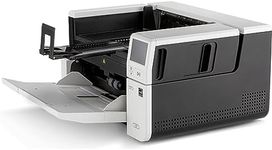
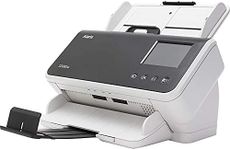
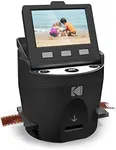
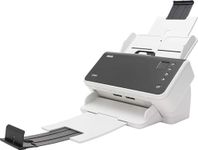
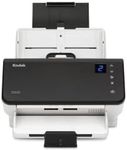
Document HandlingDocument handling features, such as automatic document feeders (ADF) and flatbed scanning, determine how the scanner processes photos. ADFs are useful for scanning multiple photos quickly, while flatbed scanners are better for delicate or irregularly sized photos. Consider the types of photos you will be scanning and choose a scanner with appropriate document handling capabilities.