Buying Guide for the Best Inkjet Photo Printers
Choosing the right inkjet photo printer can be a daunting task, but with the right knowledge, you can find the perfect model to suit your needs. Inkjet photo printers are designed to produce high-quality images with vibrant colors and fine details. When selecting a printer, it's important to consider several key specifications that will impact the quality, speed, and cost of your prints. Understanding these specs will help you make an informed decision and ensure that you get the best printer for your specific requirements.Print ResolutionPrint resolution is measured in dots per inch (DPI) and indicates the level of detail a printer can produce. Higher DPI values mean finer detail and sharper images. For general photo printing, a resolution of 1200 x 1200 DPI is usually sufficient. However, for professional-quality prints, look for printers with resolutions of 4800 x 2400 DPI or higher. If you need to print large photos or detailed images, opt for a higher resolution to ensure the best quality.
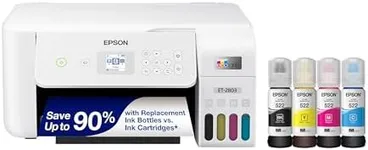
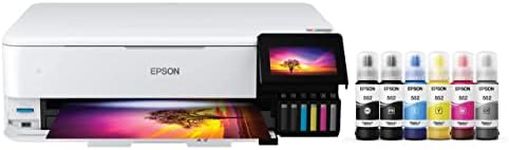
Ink SystemThe ink system refers to the number and type of ink cartridges a printer uses. Basic models may use a four-color system (cyan, magenta, yellow, and black), while more advanced models use six or more colors, including light cyan and light magenta, to produce a wider color gamut and smoother gradients. If you are a casual user, a four-color system may be sufficient. However, for professional photographers or those who demand the highest quality prints, a printer with a six-color or more ink system is recommended.
Print SpeedPrint speed is measured in pages per minute (PPM) and indicates how quickly a printer can produce prints. While speed may not be the most critical factor for photo printing, it can be important if you need to print large volumes of photos. Entry-level printers may offer speeds of around 5-10 PPM for color prints, while higher-end models can achieve speeds of 15-20 PPM or more. Consider your printing volume and how often you need to print quickly when evaluating print speed.
Paper HandlingPaper handling refers to the types and sizes of paper a printer can accommodate. Some printers are limited to standard photo paper sizes (4x6, 5x7, 8x10), while others can handle larger formats (11x14, 13x19). Additionally, consider the printer's paper tray capacity and whether it supports different paper types, such as glossy, matte, or fine art paper. If you plan to print a variety of photo sizes or use specialty papers, choose a printer with versatile paper handling capabilities.
Connectivity OptionsConnectivity options determine how you can connect your printer to your devices. Common options include USB, Wi-Fi, and Ethernet. Wi-Fi connectivity allows for wireless printing from multiple devices, including smartphones and tablets, which can be very convenient. Some printers also offer Bluetooth or NFC for easy pairing with mobile devices. Consider your preferred method of printing and ensure the printer you choose supports it.
Printer Size and DesignPrinter size and design can impact where you can place the printer and how it fits into your workspace. Compact models are ideal for small spaces, while larger models may offer more features and better performance. Consider the dimensions of the printer and ensure it fits comfortably in your intended location. Additionally, look for user-friendly designs with easy-to-navigate controls and displays.
Cost of ConsumablesThe cost of consumables, such as ink cartridges and photo paper, can add up over time. Some printers have higher ink efficiency and lower cost per print, while others may require frequent cartridge replacements. Research the cost and yield of the printer's ink cartridges and consider how often you will need to replace them. If you print frequently, look for models with high-capacity cartridges or bulk ink systems to reduce ongoing costs.