Buying Guide for the Best Wifi Adapters
Choosing the right WiFi adapter can make a big difference in your internet experience, especially if you want fast, stable, and reliable wireless connections for your devices. There are many options available, so it's important to focus on your specific needs, the devices you use, and the environment in which you'll be connecting. Think about factors such as the type of WiFi you have at home, how far you are from your router, and what sort of activities (like streaming, gaming, or browsing) you mostly do. By understanding the main specifications of WiFi adapters, you’ll be able to find one that fits your usage and avoids common frustrations like slow speeds or dropped connections.WiFi Standard (802.11)This spec shows which generation of WiFi technology the adapter supports, such as 802.11n, 802.11ac, or 802.11ax (also called WiFi 4, 5, and 6). Newer standards offer faster speeds, better range, and improved handling of many connected devices. Older adapters may only support 802.11n, which is slower, while newer ones may support 802.11ac or WiFi 6 with much higher performance. To pick the right one, check which WiFi standard your router supports. If you have a newer router or want a future-proof setup, choose an adapter that matches your router’s best standard, but don’t pay extra for standards your home network doesn’t support.
Speed RatingSpeed rating is usually measured in Mbps or Gbps and refers to the maximum theoretical data transfer rate the adapter can handle. Model descriptions might read as 300Mbps, 867Mbps, or 1.2Gbps. While higher speeds might look better, the real-world speed is often lower and also depends on your internet service and router. If you only browse and email, a lower speed is fine, but for 4K streaming or gaming, a higher rating ensures smoother performance. Match the speed to your router and internet plan, and choose higher ratings if your activities demand faster connections.
Frequency Bands (2.4GHz vs 5GHz vs 6GHz)WiFi adapters can connect to different radio bands, primarily 2.4GHz and 5GHz, with newer ones supporting 6GHz (WiFi 6E). 2.4GHz offers better range but is slower and more crowded, while 5GHz is faster but has a shorter range. 6GHz provides even faster and less congested channels if your router and adapter support it. If you live in a small space close to your router or have many nearby networks, a dual-band or tri-band adapter (covering both 2.4GHz and 5GHz, or 6GHz) is ideal. If you need to reach distant rooms, look for strong 2.4GHz support. Your usage scenario and network environment will guide which bands are most important.
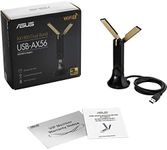
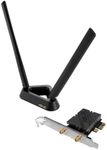
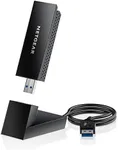
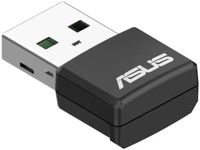
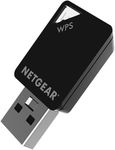
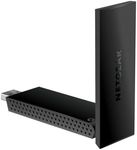
Form Factor (USB, PCIe, etc.)WiFi adapters come in different shapes and connection types: USB, PCIe (for desktops), and sometimes M.2 (for laptops). USB adapters are portable and easy to use, great for laptops and desktops alike. PCIe adapters are internal and often more powerful, but need installation inside a desktop PC. Choose a USB adapter for plug-and-play use, portability, or if you’re not comfortable opening your computer. Opt for a PCIe model if you want the strongest performance and don’t mind a more involved setup on a desktop.
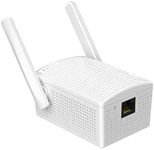
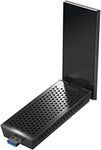
Antenna DesignSome adapters have built-in antennas while others have external, adjustable antennas. External antennas can provide better range and signal strength, which is useful for larger homes or if your device is far from the router. Built-in antennas are more compact and portable, suitable for laptops or where space matters. If you need better coverage or more stable connections, go for models with external antennas; if you prefer simplicity and portability, built-in antennas are fine.
Compatibility (Operating System and Ports)Make sure the WiFi adapter works with your device’s operating system (like Windows, macOS, or Linux) and that it fits the available ports (USB-A, USB-C, etc.). Compatibility issues can prevent the adapter from working at all or from using its full features. Always check what your computer supports before buying and pick an adapter that lists compatibility with your system.
Security StandardsThe security features (like WPA3, WPA2, or WEP) help keep your data safe on wireless networks. Newer security protocols are safer than older ones. If your network supports the most advanced standard, choose an adapter that does as well. For most people, adapters supporting at least WPA2 are essential, but WPA3 support is best for future safety.