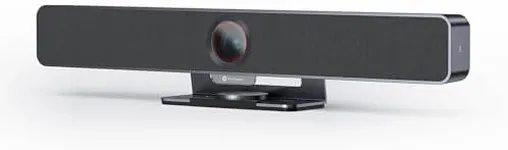
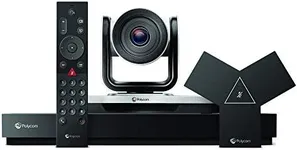
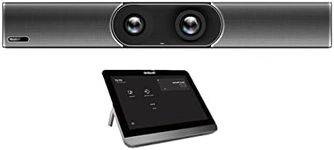
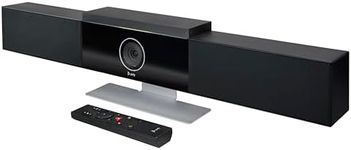
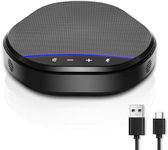
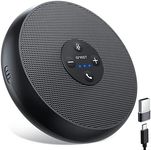
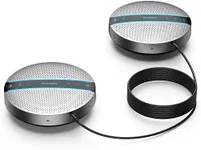
Buying Guide for the Best Video Conferencing Equipment
Choosing the right video conferencing equipment is essential for ensuring clear communication and a smooth experience during virtual meetings. The right equipment can make a significant difference in the quality of your video calls, whether for business meetings, remote learning, or personal use. To make an informed decision, it's important to understand the key specifications and how they align with your specific needs.Camera ResolutionCamera resolution refers to the clarity and detail of the video image. Higher resolution cameras provide clearer and more detailed images, which is important for professional presentations and meetings. Common resolutions include 720p (HD), 1080p (Full HD), and 4K (Ultra HD). For most users, 1080p is sufficient, offering a good balance between quality and bandwidth usage. However, if you need the highest quality for detailed presentations or large screens, consider a 4K camera.
Field of View (FOV)Field of View (FOV) is the extent of the observable area that the camera can capture. A wider FOV allows more people or a larger area to be seen in the frame, which is useful for group meetings or larger rooms. FOV is typically measured in degrees, with common values ranging from 60 to 120 degrees. For individual use or small rooms, a narrower FOV (60-90 degrees) is sufficient. For larger rooms or group settings, a wider FOV (90-120 degrees) is recommended.
Microphone QualityMicrophone quality is crucial for clear audio during video calls. Look for equipment with built-in noise-canceling microphones to reduce background noise and enhance voice clarity. Some systems come with multiple microphones to capture sound from different directions, which is beneficial for group meetings. If you often have meetings in noisy environments or with multiple participants, prioritize equipment with advanced microphone technology.
Speaker QualitySpeaker quality affects how well you can hear others during a video call. High-quality speakers provide clear and loud audio, which is important for understanding participants, especially in larger rooms. Look for equipment with built-in speakers that offer good sound quality and volume control. If you frequently have meetings in large rooms or with many participants, consider external speakers for better audio distribution.
Connectivity OptionsConnectivity options determine how the video conferencing equipment connects to your computer or network. Common options include USB, HDMI, and wireless connections like Bluetooth or Wi-Fi. USB connections are straightforward and widely compatible, while HDMI is useful for connecting to larger displays. Wireless options offer flexibility and reduce cable clutter. Choose the connectivity option that best fits your setup and ensures a stable connection.
CompatibilityCompatibility refers to how well the video conferencing equipment works with your existing software and hardware. Ensure that the equipment is compatible with popular video conferencing platforms like Zoom, Microsoft Teams, or Google Meet. Check for compatibility with your operating system (Windows, macOS, etc.) and any other devices you plan to use. This ensures a seamless integration and avoids technical issues during meetings.
Ease of UseEase of use is important for a smooth and hassle-free video conferencing experience. Look for equipment that is easy to set up and operate, with user-friendly interfaces and clear instructions. Features like plug-and-play functionality, intuitive controls, and automatic adjustments (e.g., focus, lighting) can significantly enhance usability. If you are not tech-savvy or need to set up equipment quickly, prioritize user-friendly options.
PortabilityPortability is a consideration if you need to move your video conferencing equipment between different locations. Portable equipment is typically lightweight, compact, and easy to transport. This is especially useful for remote workers, frequent travelers, or those who need to set up temporary meeting spaces. If you require flexibility in where you conduct your video calls, look for portable options that are easy to carry and set up.