Buying Guide for the Best Video Capture Devices
Choosing the right video capture device can significantly enhance your video recording and streaming experience. Whether you're a content creator, a gamer, or someone who needs to capture high-quality video for professional purposes, understanding the key specifications of video capture devices will help you make an informed decision. Here are the main specs you should consider and how to navigate them to find the best fit for your needs.ResolutionResolution refers to the number of pixels that the device can capture, which directly affects the clarity and detail of the video. Higher resolutions like 4K offer more detail and are ideal for professional content creation or high-end streaming. Full HD (1080p) is a good middle ground, providing clear and detailed video suitable for most users. Lower resolutions like 720p may suffice for basic needs or if you're working with limited storage or bandwidth. Choose a resolution based on the quality you need and the capabilities of your other equipment, such as your camera and display.
Frame RateFrame rate, measured in frames per second (fps), determines how smoothly the video plays. Higher frame rates like 60fps or 120fps provide smoother motion, which is crucial for fast-paced content like gaming or sports. Standard frame rates like 30fps are sufficient for most other types of video, including vlogging and tutorials. If your content involves a lot of movement, opt for a higher frame rate to ensure smooth playback. For more static content, a lower frame rate will be adequate.
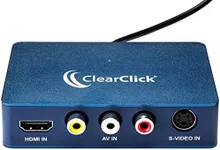
ConnectivityConnectivity options determine how the video capture device interfaces with your computer or other recording equipment. Common connections include USB, HDMI, and SDI. USB is widely compatible and easy to use, making it a good choice for most users. HDMI offers higher quality and is often used for gaming consoles and cameras. SDI is typically found in professional setups due to its reliability over long distances. Choose a connectivity option that matches your existing equipment and ensures a stable connection.
CompatibilityCompatibility refers to the device's ability to work with your operating system and software. Ensure that the video capture device supports your computer's OS, whether it's Windows, macOS, or Linux. Additionally, check if it integrates well with your preferred recording or streaming software, such as OBS, XSplit, or proprietary software from the device manufacturer. Compatibility is crucial for a seamless setup and operation, so verify this before making a purchase.
LatencyLatency is the delay between the video being captured and it being displayed or recorded. Lower latency is essential for live streaming and gaming, where real-time feedback is crucial. High latency can cause noticeable delays, making it difficult to synchronize audio and video or interact with your audience in real-time. Look for devices that advertise low latency if you plan to use the capture device for live applications. For non-live recording, latency is less critical but still worth considering.
BitrateBitrate measures the amount of data processed per second in the video stream, affecting the video quality and file size. Higher bitrates result in better video quality but larger file sizes, which may require more storage and bandwidth. Lower bitrates reduce file size but can compromise video quality. Choose a bitrate that balances quality and file size based on your storage capacity and the quality requirements of your content. For high-quality professional work, opt for a higher bitrate, while lower bitrates can be sufficient for casual or less demanding projects.
PortabilityPortability refers to the ease with which you can transport and set up the video capture device. Smaller, lightweight devices are ideal for on-the-go recording or streaming, while larger, more robust units may offer additional features but are better suited for stationary setups. Consider how and where you will use the device. If you need to move it frequently or use it in different locations, prioritize portability. For a dedicated studio setup, portability may be less of a concern.