Buying Guide for the Best Surface Pro Keyboards
Choosing the right keyboard for your Surface Pro can significantly enhance your productivity and overall user experience. A good keyboard should be comfortable to type on, durable, and ideally offer additional features that complement your usage. Here are some key specifications to consider when selecting a Surface Pro keyboard.Key TravelKey travel refers to the distance a key moves when pressed. This is important because it affects typing comfort and speed. Keyboards with longer key travel (around 1.5-2mm) tend to be more comfortable for extended typing sessions, as they provide better tactile feedback. Shorter key travel (less than 1.5mm) can make the keyboard feel more responsive and faster, which might be preferred for quick typing tasks. Consider your typing habits and comfort preferences when choosing the key travel that suits you best.
BacklightingBacklighting is the illumination of the keys, which can be useful in low-light environments. This feature is important if you often work in dimly lit areas or during nighttime. Keyboards with adjustable backlighting levels allow you to customize the brightness to your liking. If you frequently find yourself typing in various lighting conditions, a keyboard with backlighting can be a valuable addition.
ConnectivityConnectivity refers to how the keyboard connects to your Surface Pro. Most Surface Pro keyboards use a magnetic attachment that connects directly to the device, ensuring a stable and reliable connection. Some keyboards may offer additional wireless connectivity options, such as Bluetooth, which can be useful if you prefer a more flexible setup. Consider whether you need a keyboard that is strictly attached to your Surface Pro or if you would benefit from wireless options.
Layout and Key SizeThe layout and size of the keys can affect typing efficiency and comfort. A standard QWERTY layout is common and familiar to most users, but some keyboards may offer additional function keys or shortcuts that can enhance productivity. Key size is also important; larger keys can be easier to hit accurately, while smaller keys might be more compact and portable. Think about your typing style and whether you need extra features or prefer a more traditional layout.
Material and Build QualityThe material and build quality of the keyboard can impact its durability and feel. Keyboards made from high-quality materials like aluminum or premium plastics tend to be more durable and provide a better typing experience. Look for keyboards with sturdy construction and a solid feel, as these will likely last longer and withstand daily use. If you travel frequently or use your Surface Pro on the go, a durable keyboard is essential.
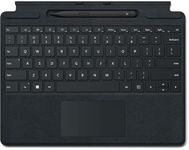
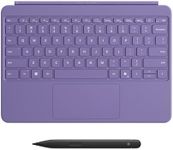
Additional FeaturesSome keyboards come with additional features such as a built-in trackpad, fingerprint reader, or customizable keys. These features can enhance your productivity and convenience. A built-in trackpad can be useful if you prefer not to use a separate mouse, while a fingerprint reader can add an extra layer of security. Customizable keys can allow you to set up shortcuts for frequently used functions. Consider which additional features would be beneficial for your specific needs.



![AGM PAD P1 10.36 inch Rugged Tablet, Android 13 Tablet, Waterproof/Drop-Proof/Dustproof, MTK G99 Chipset, 2K Display FHD+ IPS, Dual Box Stereo Speakers, 7000mAh, 8+256GB[Expandable to 2TB], GPS, WiFi](https://images-proxy.bestreviews.guide/Y0G9-w0PH-K3wvamZ4CJhN8dZHc=/0x150/https://m.media-amazon.com/images/I/41TdGaVY3gL._AC_CX679_.jpg)