Buying Guide for the Best Signature Pad
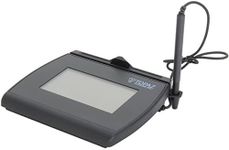
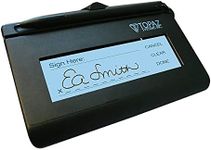
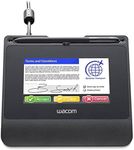
Choosing the right signature pad can be a bit overwhelming, but understanding the key specifications can help you make an informed decision. A signature pad is a device that captures handwritten signatures electronically, and it's essential for businesses that require secure and efficient document signing. When selecting a signature pad, consider the following key specifications to ensure it meets your needs.Display TypeThe display type of a signature pad refers to the kind of screen it uses. This can be either LCD, LED, or non-display. LCD and LED screens allow you to see the signature as you write it, which can be helpful for accuracy. Non-display pads are usually more affordable but require you to look at a separate screen to see the signature. If you need to see the signature as you write, opt for an LCD or LED display. If you are comfortable with a separate screen, a non-display pad might be sufficient.
ResolutionResolution indicates the clarity and detail of the signature captured by the pad. Higher resolution means more detailed and accurate signatures. Resolution is measured in lines per inch (LPI). For basic use, a resolution of around 300 LPI is usually sufficient. For more detailed and professional use, look for a resolution of 500 LPI or higher. Consider your need for signature detail when choosing the resolution.
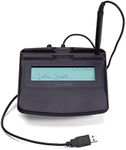
ConnectivityConnectivity refers to how the signature pad connects to your computer or device. Common options include USB, Bluetooth, and wireless. USB is the most reliable and widely used, making it a good choice for most users. Bluetooth and wireless options offer more flexibility and mobility but may require more setup and can be prone to connectivity issues. Choose the connectivity option that best fits your working environment and mobility needs.
SizeThe size of the signature pad affects its portability and ease of use. Smaller pads are more portable and easier to carry around, making them ideal for mobile use. Larger pads provide more space for signing, which can be more comfortable and accurate. Consider where and how you will be using the pad. If you need to carry it around frequently, a smaller size is better. If it will stay on a desk, a larger pad might be more comfortable.
Pen TypeThe pen type refers to the kind of stylus used with the signature pad. Some pads use passive pens that don't require batteries, while others use active pens that do. Active pens often offer more features like pressure sensitivity, which can provide a more natural writing experience. If you need a simple and maintenance-free option, a passive pen is a good choice. If you want a more advanced and natural writing experience, consider a pad with an active pen.
Security FeaturesSecurity features are crucial for ensuring that the signatures captured are secure and tamper-proof. Look for pads that offer encryption, biometric authentication, and other security measures. These features are especially important for legal and financial documents. If security is a top priority for your business, make sure to choose a pad with robust security features.