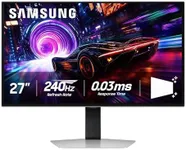
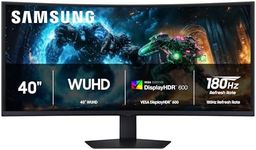
Buying Guide for the Best Samsung Monitors
When choosing a Samsung monitor, it's important to consider your specific needs and how you plan to use the monitor. Whether you're using it for gaming, professional work, or general use, different features and specifications will be more or less important. Understanding these key specifications will help you make an informed decision and find the best monitor for your needs.Screen SizeScreen size refers to the diagonal measurement of the monitor's display area. This is important because it affects how much screen real estate you have for your tasks. Smaller screens (under 24 inches) are typically sufficient for basic tasks and small spaces. Medium screens (24-27 inches) are versatile and suitable for most users, providing a good balance between size and desk space. Larger screens (over 27 inches) are great for immersive experiences, such as gaming or professional work that requires multiple windows open simultaneously. Choose a size that fits your workspace and meets your usage needs.
ResolutionResolution indicates the number of pixels on the screen, which affects the clarity and detail of the display. Higher resolutions provide sharper images. Common resolutions include Full HD (1920x1080), which is suitable for general use and basic gaming; QHD (2560x1440), which offers more detail and is great for professional work and gaming; and 4K (3840x2160), which provides the highest level of detail and is ideal for high-end gaming, video editing, and other professional tasks. Choose a resolution that matches your needs and the capabilities of your computer.
Refresh RateRefresh rate is the number of times the monitor updates with new information per second, measured in Hertz (Hz). This is important for smoothness in motion, especially in gaming. Standard monitors have a refresh rate of 60Hz, which is adequate for general use. For gaming, higher refresh rates like 120Hz, 144Hz, or even 240Hz provide smoother and more responsive gameplay. If you're a gamer, look for a higher refresh rate to enhance your experience. For non-gamers, a standard refresh rate is usually sufficient.
Panel TypePanel type affects the monitor's color accuracy, viewing angles, and response time. The main types are TN (Twisted Nematic), IPS (In-Plane Switching), and VA (Vertical Alignment). TN panels have fast response times and are good for gaming but have poorer color accuracy and viewing angles. IPS panels offer better color accuracy and wider viewing angles, making them ideal for professional work and general use. VA panels provide good contrast and color reproduction, suitable for multimedia use. Choose a panel type based on your primary use: TN for gaming, IPS for color-critical work, and VA for a balance of both.
ConnectivityConnectivity refers to the types of ports available on the monitor, which determine how you can connect it to your computer and other devices. Common ports include HDMI, DisplayPort, USB-C, and VGA. HDMI and DisplayPort are widely used for high-definition video and audio. USB-C is versatile and can transmit data, video, and power. VGA is older and less common but still used in some setups. Ensure the monitor has the ports you need for your devices. If you plan to connect multiple devices, look for a monitor with multiple input options.
ErgonomicsErgonomics refers to the monitor's adjustability features, such as height, tilt, swivel, and pivot. These features are important for creating a comfortable and healthy workspace. Adjustable monitors allow you to position the screen at the right height and angle to reduce strain on your neck and eyes. If you spend long hours at your desk, look for a monitor with good ergonomic options to ensure a comfortable setup. For occasional use, basic adjustability may be sufficient.
Special FeaturesSpecial features can enhance your monitor experience based on your specific needs. These may include built-in speakers, USB hubs, blue light filters, and adaptive sync technologies like FreeSync or G-Sync for gaming. Built-in speakers can save desk space, while USB hubs provide convenient access to peripherals. Blue light filters reduce eye strain during extended use. Adaptive sync technologies prevent screen tearing in games. Consider which special features will benefit your usage and look for monitors that offer those enhancements.
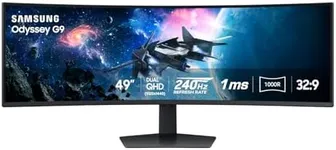
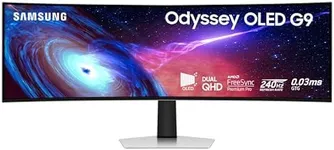

![KYY Portable Monitor 15.6'' 1080P FHD USB-C Laptop Monitors w/Smart Cover & Dual Speaker, HDMI Computer Display IPS HDR External Gaming Monitor for PC Phone Mac Xbox PS4 Switch[Upgraded]](https://images-proxy.bestreviews.guide/Z3Py4aydNVRBPI1sova4UgLXcgM=/0x150/https://m.media-amazon.com/images/I/41CdBgZtF7L._AC_CX679_.jpg)