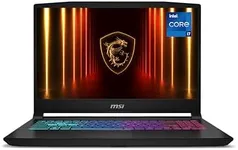
Buying Guide for the Best Programming Laptops
Choosing the right programming laptop is crucial for your productivity and comfort. The ideal laptop for programming should have a good balance of performance, portability, and battery life. It should be powerful enough to handle your development tasks, yet portable enough to carry around. Here are some key specifications to consider when selecting a programming laptop, along with explanations to help you make an informed decision.Processor (CPU)The processor is the brain of your laptop and determines how fast it can execute tasks. For programming, a multi-core processor is important as it can handle multiple tasks simultaneously. Entry-level processors like Intel i3 or AMD Ryzen 3 are suitable for basic coding and web development. Mid-range processors like Intel i5 or Ryzen 5 are good for more intensive tasks like compiling code and running virtual machines. High-end processors like Intel i7/i9 or Ryzen 7/9 are ideal for heavy development work, including game development and large-scale applications. Choose a processor based on the complexity of your projects and the software you use.
Memory (RAM)RAM is where your laptop stores data that is actively being used or processed. More RAM allows you to run more applications simultaneously and handle larger projects. For basic programming tasks, 8GB of RAM is usually sufficient. For more demanding tasks, such as running multiple virtual machines or large databases, 16GB or more is recommended. If you work with very large datasets or complex simulations, consider 32GB or more. Your choice should depend on the size and complexity of the projects you work on and how many applications you typically run at the same time.
Storage (SSD vs HDD)Storage determines how much data you can keep on your laptop and how quickly you can access it. Solid State Drives (SSDs) are much faster than Hard Disk Drives (HDDs) and can significantly speed up your development workflow, from booting up your system to loading and saving files. For programming, an SSD is highly recommended. A 256GB SSD is a good starting point for basic needs, while 512GB or more is better if you work with large files or need to store a lot of data. If you need even more storage, consider a laptop with both an SSD for speed and an HDD for additional capacity.
DisplayThe display is important for your comfort and productivity, especially if you spend long hours coding. A higher resolution display (Full HD or higher) provides more screen real estate, allowing you to see more code and windows at once. Screen size is also a factor; a 13-14 inch display is more portable, while a 15-17 inch display offers more space for multitasking. Additionally, consider the display technology; IPS panels offer better color accuracy and viewing angles compared to TN panels. Choose a display that balances portability with your need for screen space and clarity.
Battery LifeBattery life is crucial if you need to work on the go or in places where you can't easily plug in. A laptop with a longer battery life allows you to work for extended periods without needing to recharge. Look for laptops that offer at least 8 hours of battery life for a full day of work. If you often work in different locations or travel frequently, prioritize battery life to ensure you can stay productive without constantly searching for an outlet.
Keyboard and TouchpadA comfortable keyboard and responsive touchpad are essential for programming, as you'll be typing a lot. Look for a laptop with a keyboard that has good key travel and tactile feedback to reduce typing fatigue. Backlit keyboards are also useful for working in low-light conditions. The touchpad should be precise and support multi-touch gestures for easier navigation. If possible, try out the keyboard and touchpad in person to ensure they meet your comfort and usability standards.
PortabilityPortability is important if you need to carry your laptop around frequently. Lighter and thinner laptops are easier to transport, but they may sacrifice some performance or features. Consider the weight and dimensions of the laptop, and balance them with the performance and features you need. If you travel a lot or work in different locations, a more portable laptop will be more convenient. However, if you primarily work from a single location, you might prioritize performance and screen size over portability.
Operating SystemThe operating system (OS) can affect your development environment and the tools you use. Windows, macOS, and Linux each have their own advantages. Windows is versatile and supports a wide range of software. macOS is popular among developers for its Unix-based environment and seamless integration with other Apple products. Linux is highly customizable and preferred for server-side development and open-source projects. Choose an OS that aligns with your development needs and the software you plan to use.