Buying Guide for the Best Portable Scanners For Documents
Choosing the right portable scanner for documents involves understanding your specific needs and how different features of the scanner can meet those needs. Portable scanners are great for on-the-go professionals, students, or anyone who needs to digitize documents quickly and efficiently. Here are some key specifications to consider when selecting a portable scanner for documents.ResolutionResolution refers to the clarity and detail of the scanned image, measured in dots per inch (DPI). Higher DPI means better image quality. For general document scanning, 300-600 DPI is usually sufficient. If you need to scan detailed images or graphics, look for scanners with higher DPI, such as 1200 DPI or more. Consider your primary use: for text documents, a lower DPI is fine, but for images or detailed graphics, opt for higher DPI.
Scanning SpeedScanning speed is how quickly the scanner can process documents, usually measured in pages per minute (PPM). Faster speeds are beneficial if you need to scan large volumes of documents regularly. Scanners with speeds of 8-15 PPM are good for occasional use, while those with 20-30 PPM or more are better for heavy-duty scanning. Think about how often and how many documents you need to scan to determine the right speed for you.
ConnectivityConnectivity options determine how the scanner communicates with your devices. Common options include USB, Wi-Fi, and Bluetooth. USB connections are reliable and fast but require a physical connection. Wi-Fi and Bluetooth offer wireless convenience, which is great for mobile use. Choose based on your workflow: if you need to scan directly to a computer, USB might be best; for scanning to multiple devices or cloud storage, wireless options are more flexible.
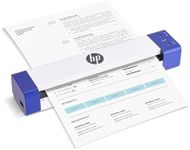
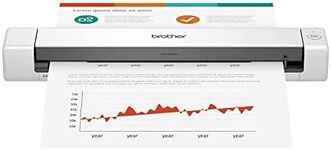
PortabilityPortability is about the size and weight of the scanner. A truly portable scanner should be lightweight and compact, making it easy to carry in a bag or briefcase. Consider how often you'll be traveling with the scanner. If you need to scan documents on the go frequently, look for a model that is small and light. If portability is less of a concern, you might prioritize other features.
Battery LifeBattery life is crucial if you plan to use the scanner away from power sources. Longer battery life means more scans between charges. Some scanners offer rechargeable batteries, while others use replaceable ones. If you need to scan a lot of documents while traveling, look for a scanner with a long-lasting battery. For occasional use, battery life might be less critical.
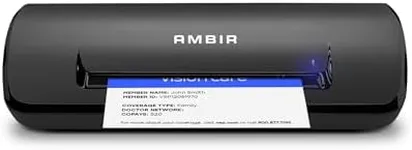
Document HandlingDocument handling refers to the types and sizes of documents the scanner can process. Some scanners can handle various sizes, from business cards to legal documents, and even thicker items like ID cards. If you need to scan a variety of document types, look for a versatile scanner. If you mostly scan standard-sized documents, a basic model will suffice.
Software and CompatibilityThe software that comes with the scanner can greatly affect its usability. Look for scanners that come with user-friendly software for editing, organizing, and sharing scanned documents. Compatibility with your operating system (Windows, macOS, etc.) is also important. Ensure the scanner's software is compatible with your devices to avoid any issues.