Buying Guide for the Best Nintendo Switch Monitor
When choosing a monitor for your Nintendo Switch, it's important to consider several key specifications to ensure you get the best gaming experience. The right monitor can enhance your gameplay with better visuals, faster response times, and more immersive experiences. Here are the key specs you should focus on and how to navigate them to find the best fit for your needs.ResolutionResolution refers to the number of pixels that make up the display on the monitor. Higher resolution means more pixels and sharper images. For the Nintendo Switch, a Full HD (1920x1080) resolution is generally sufficient since the console itself outputs at this resolution when docked. However, if you plan to use the monitor for other purposes, such as PC gaming or watching 4K content, you might consider a 4K (3840x2160) monitor. Choose a resolution that matches your primary use case to get the best visual experience.
Refresh RateThe refresh rate is the number of times the monitor updates with new information per second, measured in Hertz (Hz). A higher refresh rate results in smoother motion and can be particularly beneficial for fast-paced games. The Nintendo Switch typically outputs at 60Hz, so a monitor with a 60Hz refresh rate is adequate. However, if you plan to use the monitor for other gaming systems or a PC that supports higher refresh rates, you might opt for a 120Hz or 144Hz monitor. Consider your gaming habits and whether you need a higher refresh rate for other devices.
Response TimeResponse time measures how quickly a pixel can change from one color to another, usually in milliseconds (ms). Lower response times reduce motion blur and ghosting, which is important for fast-paced games. For the Nintendo Switch, a response time of 5ms or lower is generally good enough. If you are a competitive gamer or play a lot of action games, you might prefer a monitor with a response time of 1ms. Think about the types of games you play and how important fast response times are to your gaming experience.
Panel TypeMonitors come with different types of panels, such as TN (Twisted Nematic), IPS (In-Plane Switching), and VA (Vertical Alignment). TN panels are known for their fast response times and high refresh rates but have poorer color accuracy and viewing angles. IPS panels offer better color reproduction and wider viewing angles but usually have slower response times. VA panels provide good contrast and color but can have slower response times and some motion blur. For the Nintendo Switch, an IPS panel is often a good choice due to its balanced performance in color and viewing angles. Consider what aspects are most important to you, such as color accuracy or response time, when choosing a panel type.
SizeThe size of the monitor is measured diagonally in inches. Larger monitors provide a more immersive experience but require more desk space. For the Nintendo Switch, a monitor size between 24 to 32 inches is typically ideal, offering a good balance between screen real estate and practicality. If you have limited space or prefer a more compact setup, a 24-inch monitor might be best. If you want a more cinematic experience and have the space, a 27-inch or larger monitor could be more suitable. Think about your available space and how large you want your display to be.
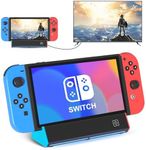
ConnectivityConnectivity options are crucial to ensure your monitor can easily connect to your Nintendo Switch and other devices. The Nintendo Switch uses an HDMI output, so make sure the monitor has at least one HDMI port. Additional ports like DisplayPort, USB-C, or multiple HDMI ports can be useful if you plan to connect other devices like a PC or another console. Consider your current and future connectivity needs to ensure the monitor you choose can accommodate all your devices.