Buying Guide for the Best Multi Page Document Scanner
Choosing the right multi-page document scanner can significantly improve your productivity and efficiency, especially if you frequently handle large volumes of paperwork. The key is to understand the various specifications and features that different models offer, and how they align with your specific needs. By focusing on the most important specs, you can make an informed decision that ensures you get the best performance and value from your scanner.Scanning SpeedScanning speed is measured in pages per minute (PPM) and indicates how quickly the scanner can process documents. This spec is crucial if you need to scan large volumes of documents regularly. Scanners with speeds of 20-30 PPM are suitable for moderate use, while those with speeds of 40-60 PPM or higher are ideal for heavy-duty scanning. Consider your typical workload to determine the right speed for you.
ResolutionResolution, measured in dots per inch (DPI), determines the clarity and detail of the scanned images. Higher DPI values produce clearer and more detailed scans, which is important for documents with small text or intricate graphics. For general document scanning, 300 DPI is usually sufficient. However, if you need to scan high-quality images or detailed documents, look for scanners with 600 DPI or higher.
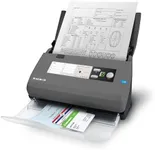
Automatic Document Feeder (ADF) CapacityThe ADF capacity indicates how many pages the scanner can hold and process automatically without manual intervention. This feature is essential for multi-page scanning tasks. ADF capacities can range from 20 to over 100 pages. If you frequently scan large documents, a higher ADF capacity will save you time and effort.
Duplex ScanningDuplex scanning allows the scanner to scan both sides of a page simultaneously. This feature is important if you often deal with double-sided documents, as it can significantly speed up the scanning process. If you only scan single-sided documents, this feature may not be as critical, but it’s a valuable time-saver for double-sided scanning.
Connectivity OptionsConnectivity options determine how the scanner connects to your computer or network. Common options include USB, Wi-Fi, and Ethernet. USB is straightforward and reliable for direct connections, while Wi-Fi and Ethernet are ideal for shared use in an office environment. Consider your setup and whether you need the flexibility of wireless connectivity or the stability of a wired connection.
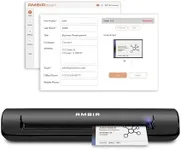
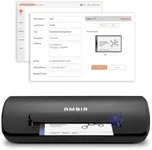
Software and CompatibilityThe software that comes with the scanner can greatly enhance its functionality, offering features like OCR (Optical Character Recognition), document management, and cloud integration. Ensure the scanner is compatible with your operating system and any specific software you need. Look for models that offer robust software packages to streamline your workflow.
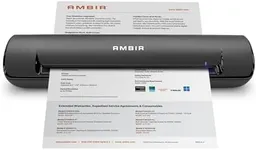
Size and PortabilityThe physical size and portability of the scanner can be important depending on your workspace and how you plan to use it. Compact and portable scanners are great for small offices or mobile use, while larger, more robust models are better suited for high-volume, stationary use. Assess your space and mobility needs to choose the right size.