Buying Guide for the Best Monitor Arms Desk Mount
Choosing the right monitor arm desk mount can significantly improve your workspace ergonomics, reduce clutter, and enhance productivity. A monitor arm allows you to adjust the height, angle, and position of your monitor, providing a more comfortable viewing experience. When selecting a monitor arm, it's important to consider several key specifications to ensure it meets your needs and fits your workspace setup.Weight CapacityWeight capacity refers to the maximum weight the monitor arm can support. This is crucial because if your monitor is too heavy for the arm, it could cause damage or fail to hold the monitor securely. Monitor arms typically have weight capacities ranging from 10 to 30 pounds. To choose the right one, check the weight of your monitor and ensure it falls within the arm's specified range. If you have a heavier monitor, opt for an arm with a higher weight capacity.
VESA CompatibilityVESA compatibility indicates whether the monitor arm can attach to your monitor using the standardized VESA mounting holes on the back of the monitor. This is important because it ensures a secure and proper fit. VESA patterns are usually 75x75mm or 100x100mm. To pick the right monitor arm, check your monitor's VESA pattern and ensure the arm supports it. Most modern monitors and arms adhere to these standards, but it's always good to double-check.
AdjustabilityAdjustability refers to the range of motion the monitor arm offers, including height adjustment, tilt, swivel, and rotation. This is important for achieving the most ergonomic setup and reducing strain on your neck and eyes. Monitor arms can vary from basic models with limited adjustments to more advanced ones offering full range of motion. If you need to frequently change your monitor's position or share your screen with others, look for an arm with greater adjustability. For a static setup, a simpler model may suffice.
Mounting OptionsMounting options refer to how the monitor arm attaches to your desk. Common methods include clamp mounts, grommet mounts, and wall mounts. This is important because it affects the stability and space usage of your setup. Clamp mounts are easy to install and move, making them ideal for temporary setups. Grommet mounts provide a more permanent solution by securing through a hole in the desk. Wall mounts free up desk space but require wall installation. Choose based on your desk type and whether you need a permanent or flexible setup.
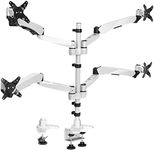
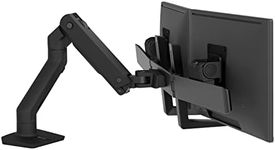
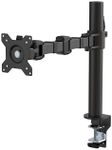
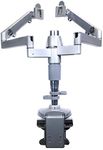
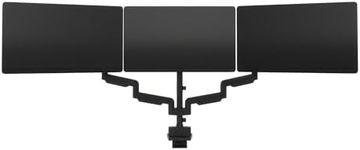
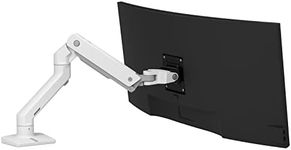
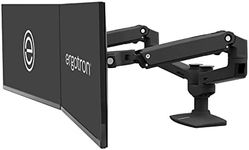
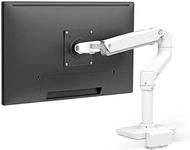
Number of MonitorsThe number of monitors a monitor arm can support is crucial if you use multiple screens. Some arms are designed for single monitors, while others can hold two or more. This is important for multitasking and maximizing screen real estate. If you use multiple monitors, look for an arm that can support the number you need. Ensure it can handle the combined weight and offers enough adjustability for all monitors. For single monitor setups, a single-arm model will suffice.
Cable ManagementCable management features help organize and hide the cables running from your monitor to your computer. This is important for maintaining a clean and clutter-free workspace. Monitor arms with built-in cable management channels or clips can keep cables neatly tucked away. If you value a tidy desk, look for an arm with good cable management options. This will not only improve aesthetics but also prevent cables from tangling or getting damaged.