Buying Guide for the Best Loud Computer Speakers
When it comes to picking the right loud computer speakers, it's important to consider several key specifications to ensure you get the best sound quality and performance for your needs. Whether you're using them for gaming, music, or movies, understanding these specs will help you make an informed decision. Here are the key specifications to look out for and how to navigate them.Wattage (Power Output)Wattage refers to the power output of the speakers and is measured in watts (W). This spec is important because it determines how loud and powerful the speakers can get. Generally, higher wattage means louder sound. For casual use or a small room, speakers with 20-50 watts may suffice. For larger rooms or more immersive experiences, consider speakers with 50-100 watts or more. Your choice should depend on the size of your room and how loud you want your speakers to be.
Frequency ResponseFrequency response indicates the range of sounds the speakers can reproduce, measured in Hertz (Hz). This is important because it affects the clarity and richness of the audio. A typical range is 20 Hz to 20,000 Hz, which covers the full spectrum of human hearing. If you want deep bass, look for speakers with a lower minimum frequency (e.g., 20-50 Hz). For clear highs, ensure the maximum frequency is around 20,000 Hz. Choose based on the type of audio you prioritize, such as bass-heavy music or detailed soundtracks.
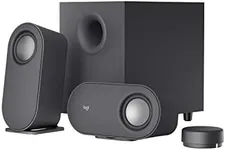
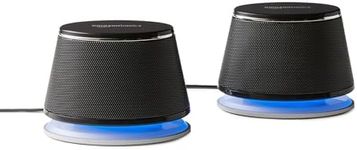
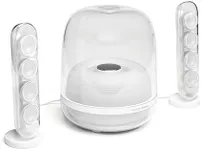
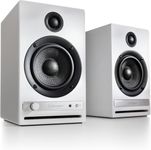
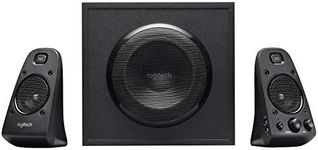
Number of ChannelsThe number of channels refers to the speaker configuration, such as 2.0, 2.1, or 5.1. This is important for determining the surround sound experience. A 2.0 system has two speakers (left and right), suitable for basic stereo sound. A 2.1 system adds a subwoofer for enhanced bass. A 5.1 system includes five speakers and a subwoofer, providing a more immersive surround sound experience. Choose based on your space and the level of audio immersion you desire, with more channels offering a richer experience.
Connectivity OptionsConnectivity options refer to how the speakers connect to your computer, such as via USB, 3.5mm jack, Bluetooth, or optical input. This is important for compatibility and convenience. USB and 3.5mm jacks are common and easy to use. Bluetooth allows for wireless connections, reducing cable clutter. Optical input provides high-quality digital audio. Choose based on your computer's available ports and your preference for wired or wireless setups.
Size and DesignSize and design refer to the physical dimensions and aesthetic of the speakers. This is important for fitting the speakers into your space and matching your style. Larger speakers generally offer better sound quality but take up more space. Compact speakers are more convenient for small desks or portable setups. Design can range from sleek and modern to classic and understated. Choose based on your available space and personal taste, ensuring the speakers complement your setup.
Additional FeaturesAdditional features can include things like built-in controls, remote control, RGB lighting, and built-in amplifiers. These features are important for enhancing usability and adding extra functionality. Built-in controls and remote control offer convenience for adjusting volume and settings. RGB lighting can add a visual element to your setup. Built-in amplifiers can improve sound quality. Choose based on which features will enhance your user experience and meet your specific needs.