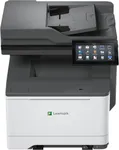
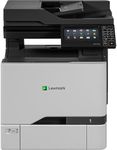
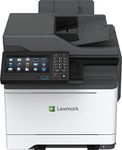
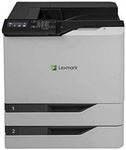
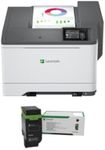
Buying Guide for the Best Lexmark Color Laser Printers
When choosing a Lexmark color laser printer, it's important to consider several key specifications to ensure you select a model that best fits your needs. Color laser printers are known for their high-quality prints, speed, and efficiency, making them ideal for both home and office use. By understanding the key specs, you can make an informed decision that aligns with your printing requirements.Print SpeedPrint speed is measured in pages per minute (ppm) and indicates how quickly the printer can produce documents. This spec is important because it affects productivity, especially in busy environments. Printers with speeds of 20-30 ppm are suitable for home or small office use, while those with speeds of 30-50 ppm or higher are better for larger offices with high-volume printing needs. Consider your typical print volume and how often you need to print large documents to determine the right print speed for you.
Print QualityPrint quality is measured in dots per inch (dpi) and determines the clarity and detail of the printed documents. Higher dpi values result in sharper and more detailed prints. For general office documents, a resolution of 600 x 600 dpi is usually sufficient. However, if you need to print high-quality graphics or photos, look for printers with resolutions of 1200 x 1200 dpi or higher. Assess the type of documents you will be printing most frequently to choose the appropriate print quality.
Monthly Duty CycleThe monthly duty cycle is the maximum number of pages a printer can handle in a month without experiencing wear and tear. This spec is crucial for understanding the printer's durability and suitability for your printing needs. For home or small office use, a duty cycle of up to 10,000 pages is typically adequate. For larger offices with heavy printing demands, look for printers with duty cycles of 20,000 pages or more. Estimate your monthly print volume to select a printer with a duty cycle that matches your usage.
Connectivity OptionsConnectivity options determine how you can connect the printer to your devices. Common options include USB, Ethernet, and Wi-Fi. USB connections are straightforward and ideal for single-user setups. Ethernet is suitable for wired network environments, allowing multiple users to share the printer. Wi-Fi connectivity offers the most flexibility, enabling wireless printing from various devices, including smartphones and tablets. Consider your preferred method of connection and the number of users who will need access to the printer.
Paper HandlingPaper handling refers to the printer's ability to manage different paper sizes and types, as well as its input and output capacity. This spec is important for ensuring the printer can accommodate your specific printing needs. Look for printers with multiple paper trays if you frequently switch between different paper types or sizes. Additionally, consider the input and output tray capacities; larger capacities reduce the need for frequent paper refills and are beneficial for high-volume printing. Think about the types of documents you print and the convenience of paper handling features.
Toner Cartridge YieldToner cartridge yield indicates the number of pages a cartridge can print before needing replacement. This spec is important for understanding the ongoing cost of consumables and the frequency of cartridge changes. High-yield cartridges can print more pages and are cost-effective for high-volume printing environments. Standard-yield cartridges are suitable for lower volume printing. Evaluate your printing frequency and consider the cost and availability of replacement cartridges to choose a printer with an appropriate toner yield.