Buying Guide for the Best Kvm Switches
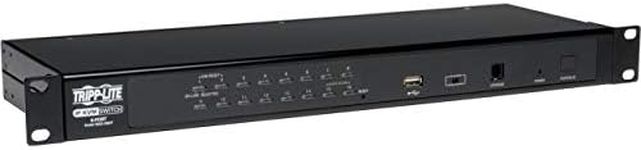
A KVM (Keyboard, Video, Mouse) switch is a device that allows you to control multiple computers using a single keyboard, monitor, and mouse. This can be incredibly useful for managing multiple systems without the need for separate peripherals for each one. When choosing a KVM switch, it's important to consider several key specifications to ensure it meets your needs. Here are the main specs to look out for and how to choose the right one for you.Number of PortsThe number of ports on a KVM switch determines how many computers you can control with it. This is important because it directly affects how many systems you can manage simultaneously. KVM switches typically come with 2, 4, 8, or more ports. If you only need to control two computers, a 2-port switch will suffice. However, if you need to manage multiple systems, consider a switch with more ports. Think about your current needs and potential future expansion when deciding on the number of ports.
Video Resolution SupportVideo resolution support refers to the maximum display resolution that the KVM switch can handle. This is crucial for ensuring that your monitor displays clear and sharp images. KVM switches can support various resolutions, from standard HD (1920x1080) to 4K (3840x2160) and beyond. If you use high-resolution monitors, make sure the KVM switch supports the resolution you need. For general office use, HD resolution might be sufficient, but for graphic design or video editing, higher resolutions are preferable.
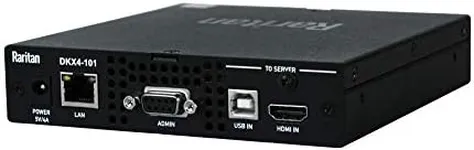
Connection TypesKVM switches can connect to computers using different types of connections, such as USB, HDMI, DisplayPort, or VGA. This is important because it determines compatibility with your existing hardware. USB connections are common for peripherals, while HDMI, DisplayPort, and VGA are used for video. Ensure the KVM switch you choose has the appropriate connections for your devices. If you have modern equipment, HDMI or DisplayPort might be necessary, while older systems might require VGA.
Switching MethodThe switching method refers to how you switch control between different computers. This can be done via physical buttons on the KVM switch, keyboard hotkeys, or even remote control. The switching method is important for ease of use and convenience. Physical buttons are straightforward, but hotkeys can be faster if you frequently switch between systems. Consider how you prefer to switch and choose a KVM switch that offers that method.
Audio SupportAudio support means the KVM switch can also manage audio signals, allowing you to switch audio devices along with video and peripherals. This is important if you need to use speakers or a microphone with multiple computers. Not all KVM switches support audio, so if this is a requirement for you, make sure to choose a model that includes it. This is particularly useful for multimedia applications or when using VoIP software.
CompatibilityCompatibility refers to the KVM switch's ability to work with different operating systems and hardware configurations. This is crucial to ensure that the switch will work seamlessly with your computers. Most KVM switches are compatible with major operating systems like Windows, macOS, and Linux, but it's always good to check. If you use a less common OS or have specific hardware requirements, verify compatibility before purchasing.
Additional FeaturesAdditional features can include things like USB hub functionality, which allows you to connect other USB devices, or network connectivity for remote management. These features can enhance the functionality of the KVM switch and provide added convenience. Consider what extra features might be beneficial for your setup. For example, if you need to connect external storage or other peripherals, a built-in USB hub can be very useful.