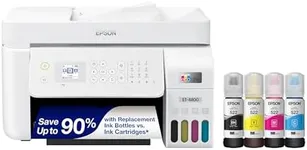
Buying Guide for the Best Home Office All In One Printer
Choosing the right all-in-one printer for your home office can significantly enhance your productivity and streamline your workflow. An all-in-one printer combines printing, scanning, copying, and sometimes faxing capabilities into a single device, making it a versatile and space-saving solution. To make an informed decision, consider the key specifications that will impact the performance and suitability of the printer for your specific needs.Print SpeedPrint speed refers to how quickly the printer can produce documents, usually measured in pages per minute (PPM). This spec is important because it affects how long you'll spend waiting for your print jobs to complete. Print speeds can vary widely; lower speeds (around 10-20 PPM) are suitable for occasional printing, while higher speeds (30+ PPM) are better for heavy-duty use. If you frequently print large documents or need quick turnaround times, opt for a printer with higher print speeds.
Print QualityPrint quality is determined by the printer's resolution, measured in dots per inch (DPI). Higher DPI values result in sharper and more detailed prints. This spec is crucial if you need to produce professional-looking documents or high-quality images. For general office use, a resolution of 600-1200 DPI is usually sufficient. If you require high-quality photo prints or detailed graphics, look for printers with resolutions of 2400 DPI or higher.
Connectivity OptionsConnectivity options refer to how the printer can connect to your computer or network. Common options include USB, Wi-Fi, Ethernet, and Bluetooth. This spec is important for convenience and flexibility in your home office setup. USB connections are straightforward but limit mobility, while Wi-Fi and Bluetooth allow for wireless printing from multiple devices. Ethernet is ideal for stable, high-speed network connections. Choose a printer with connectivity options that match your preferred setup and devices.
Paper HandlingPaper handling capabilities include the types and sizes of paper the printer can accommodate, as well as the capacity of its paper trays. This spec is important for ensuring the printer can handle your typical print jobs without frequent refills or jams. Basic models may support standard letter and legal sizes, while more advanced models can handle a variety of media, including envelopes, labels, and photo paper. Consider your typical printing needs and choose a printer with appropriate paper handling features.
Scanner ResolutionScanner resolution, measured in DPI, determines the quality of scanned images and documents. Higher resolutions produce clearer and more detailed scans. This spec is important if you need to digitize documents or images with precision. For general document scanning, a resolution of 600 DPI is usually adequate. If you need to scan photos or detailed graphics, look for scanners with resolutions of 1200 DPI or higher.
Duplex PrintingDuplex printing refers to the printer's ability to print on both sides of a sheet of paper automatically. This spec is important for saving paper and reducing printing costs. If you frequently print double-sided documents, such as reports or brochures, a printer with duplex printing capabilities will be highly beneficial. For occasional double-sided printing, manual duplexing (where you manually flip the paper) may suffice.
Ink or Toner CostInk or toner cost refers to the ongoing expense of replacing the printer's consumables. This spec is important for understanding the long-term cost of ownership. Inkjet printers typically have lower upfront costs but higher ink costs, while laser printers have higher upfront costs but lower toner costs. Consider your printing volume and budget to choose a printer with manageable consumable costs.
Size and DesignSize and design refer to the physical dimensions and aesthetic of the printer. This spec is important for ensuring the printer fits comfortably in your home office space and complements your decor. Compact models are ideal for small spaces, while larger models may offer more features but require more room. Consider your available space and choose a printer that fits well without cluttering your workspace.