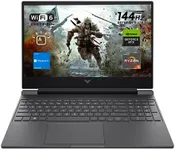
Buying Guide for the Best High Performance Gaming Laptop
Choosing a high-performance gaming laptop can be a daunting task, but with the right approach, you can find the perfect machine to meet your gaming needs. The key is to understand the specifications that matter most for gaming and how they align with your personal preferences and gaming habits. By focusing on the right specs, you can ensure that your laptop will deliver the performance, graphics, and overall experience you desire.Processor (CPU)The processor, or CPU, is the brain of your laptop and is crucial for overall performance. For gaming, you need a powerful CPU to handle complex calculations and game logic. CPUs are typically divided into segments like entry-level, mid-range, and high-end. Entry-level CPUs may struggle with demanding games, while mid-range CPUs can handle most games at decent settings. High-end CPUs are best for running the latest games at the highest settings. If you play AAA titles or plan to stream, a high-end CPU is recommended.
Graphics Card (GPU)The graphics card, or GPU, is responsible for rendering images, videos, and animations. It's one of the most critical components for gaming. GPUs range from integrated graphics, which are less powerful, to dedicated GPUs, which are designed for gaming. Within dedicated GPUs, there are various tiers: entry-level, mid-range, and high-end. Entry-level GPUs can handle older or less demanding games, mid-range GPUs are suitable for most modern games at medium to high settings, and high-end GPUs are necessary for the latest games at ultra settings. Choose a GPU based on the types of games you play and the visual quality you desire.
RAMRAM, or Random Access Memory, is essential for multitasking and smooth gameplay. It temporarily stores data that your CPU needs to access quickly. For gaming, 8GB of RAM is the minimum, but 16GB is recommended for better performance and future-proofing. If you run multiple applications while gaming, such as streaming software or web browsers, 32GB might be beneficial. Consider your multitasking habits and the memory requirements of the games you play when choosing the right amount of RAM.
StorageStorage affects how much data you can store and how quickly your system can access it. There are two main types: Hard Disk Drives (HDDs) and Solid State Drives (SSDs). HDDs offer more storage at a lower cost but are slower. SSDs are faster, which means quicker load times and better overall performance, but they are more expensive. For gaming, an SSD is highly recommended for the operating system and games, with an HDD as additional storage if needed. Consider the size of your game library and whether you need quick access to your data.
DisplayThe display is where you see the action, so it's important for an immersive gaming experience. Key factors include resolution, refresh rate, and size. Higher resolutions (like 1080p, 1440p, or 4K) provide clearer and more detailed images. Refresh rates (measured in Hz) determine how many times the screen updates per second; higher refresh rates (120Hz, 144Hz, or 240Hz) result in smoother motion. Screen size is a personal preference, but larger screens can enhance immersion. Choose a display based on your preference for visual quality and smoothness.
Battery LifeBattery life is how long your laptop can run on a single charge. Gaming laptops typically have shorter battery life due to their powerful components. If you plan to game primarily while plugged in, battery life may be less critical. However, if you need portability and want to game on the go, look for a laptop with a longer battery life. Keep in mind that gaming on battery power can reduce performance to conserve energy.
Cooling SystemA good cooling system is essential to prevent overheating and maintain performance during long gaming sessions. Gaming laptops generate a lot of heat, and an efficient cooling system helps dissipate it. Look for laptops with multiple fans, heat pipes, and good ventilation. Some high-end models offer advanced cooling solutions like liquid cooling. If you plan to game for extended periods or run demanding games, prioritize a laptop with a robust cooling system to ensure longevity and consistent performance.
Keyboard and Build QualityThe keyboard and build quality affect your overall gaming experience and the laptop's durability. A good gaming keyboard should have features like backlighting, customizable keys, and a comfortable layout. Mechanical keyboards are preferred by many gamers for their tactile feedback. Build quality is also important; a sturdy chassis made of high-quality materials can withstand the rigors of gaming. Consider your preferences for keyboard feel and the importance of a durable build when making your choice.