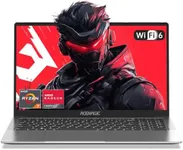
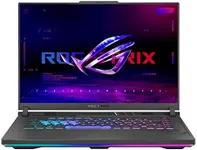
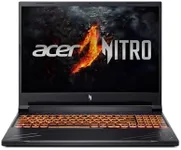
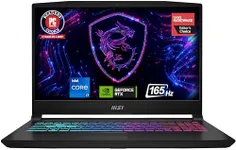
Buying Guide for the Best Gamer Laptops
Choosing the right gaming laptop can be a daunting task, but with the right approach, you can find a model that fits your needs perfectly. The key is to understand the specifications that matter most for gaming and how they align with your gaming habits and preferences. Here are the key specs you should consider when picking a gaming laptop, along with explanations to help you make an informed decision.Graphics Card (GPU)The graphics card, or GPU, is one of the most critical components in a gaming laptop. It determines how well your laptop can handle graphically intensive games. High-end GPUs provide better performance and can handle the latest games at higher settings. Mid-range GPUs are suitable for most games at medium to high settings, while entry-level GPUs are best for less demanding games or older titles. Choose a GPU based on the types of games you play and the level of graphical fidelity you desire.
Processor (CPU)The processor, or CPU, is the brain of your laptop and affects overall performance, including game loading times and multitasking capabilities. High-performance CPUs are ideal for gaming and other demanding tasks, while mid-range CPUs can handle most games well. Entry-level CPUs may struggle with newer, more demanding games. Consider a high-performance CPU if you plan to play the latest AAA titles or use your laptop for other intensive tasks like video editing.
RAMRAM, or memory, is crucial for smooth gameplay and multitasking. More RAM allows your laptop to handle more data at once, which is important for gaming and running other applications simultaneously. 8GB of RAM is the minimum for gaming, but 16GB is recommended for better performance and future-proofing. If you plan to stream or run multiple applications while gaming, consider 32GB of RAM.
StorageStorage affects how much space you have for games, applications, and files. Solid State Drives (SSDs) are faster and improve game loading times and overall system responsiveness compared to Hard Disk Drives (HDDs). A combination of SSD and HDD can offer a balance of speed and storage capacity. Aim for at least 512GB of SSD storage for a good gaming experience, and consider additional HDD storage if you have a large game library.
DisplayThe display quality impacts your gaming experience significantly. Key factors include resolution, refresh rate, and panel type. A higher resolution (e.g., 1080p, 1440p, 4K) provides sharper images, while a higher refresh rate (e.g., 60Hz, 120Hz, 144Hz) results in smoother gameplay. IPS panels offer better color accuracy and viewing angles compared to TN panels. Choose a display based on your preference for visual quality and the types of games you play.
Battery LifeBattery life is important if you plan to game on the go. Gaming laptops typically have shorter battery life due to their powerful components. However, some models offer better battery performance than others. If you need a laptop for both gaming and everyday use, look for one with a balance of performance and battery life. Keep in mind that gaming on battery power will usually result in reduced performance compared to being plugged in.
Cooling SystemA good cooling system is essential to prevent overheating and maintain performance during long gaming sessions. Effective cooling solutions include multiple fans, heat pipes, and advanced thermal designs. Laptops with better cooling systems can sustain higher performance levels and have a longer lifespan. If you plan to game for extended periods, prioritize a laptop with a robust cooling system.
Build Quality and PortabilityBuild quality affects the durability and feel of your laptop. Metal chassis are generally more durable than plastic ones. Portability is also a consideration if you need to carry your laptop frequently. Lighter and thinner models are easier to transport but may sacrifice some performance or cooling efficiency. Choose a laptop that balances build quality and portability based on your lifestyle and gaming habits.
Keyboard and TrackpadThe keyboard and trackpad are important for a comfortable gaming experience. Look for a keyboard with good key travel, tactile feedback, and customizable RGB lighting if you prefer. A responsive and accurate trackpad is also important, though many gamers use an external mouse. Consider your preferences for keyboard layout and additional features like macro keys.
ConnectivityConnectivity options are important for gaming peripherals and internet access. Look for laptops with multiple USB ports, HDMI, and Ethernet ports for a stable wired connection. Wi-Fi 6 support can provide faster and more reliable wireless internet. Consider your needs for connecting external devices and choose a laptop with the appropriate ports and connectivity features.