Buying Guide for the Best External Cd Drives
Choosing the right external CD drive can be a bit overwhelming, but with the right information, you can find the perfect one for your needs. External CD drives are useful for reading and writing CDs, and they can be a great addition to your computer setup, especially if your device doesn't have a built-in CD drive. Here are some key specifications to consider when selecting an external CD drive, along with explanations to help you make an informed decision.CompatibilityCompatibility refers to whether the external CD drive can work with your computer's operating system, such as Windows, macOS, or Linux. This is important because an incompatible drive won't function properly with your device. To navigate this, check the product specifications to ensure it supports your operating system. If you use multiple devices with different operating systems, look for a drive that is compatible with all of them.
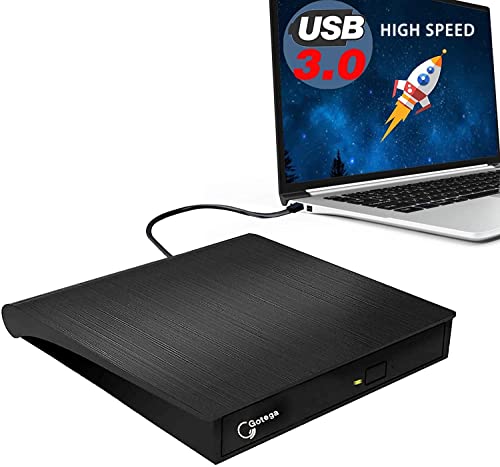
Connection TypeThe connection type determines how the external CD drive connects to your computer. Common connection types include USB 2.0, USB 3.0, and USB-C. This is important because it affects the data transfer speed and compatibility with your computer's ports. USB 3.0 and USB-C offer faster data transfer speeds compared to USB 2.0. If you have a modern computer with USB-C ports, you might prefer a USB-C drive for faster performance and convenience. However, if your computer only has USB 2.0 or 3.0 ports, make sure the drive is compatible with those.
Read and Write SpeedsRead and write speeds indicate how quickly the drive can read data from or write data to a CD. This is important for efficiency, especially if you frequently transfer large files. Read and write speeds are measured in 'x' (e.g., 24x, 48x). Higher speeds mean faster performance. If you need to burn CDs often or transfer large amounts of data, look for a drive with higher read and write speeds. For occasional use, standard speeds should suffice.
PortabilityPortability refers to the size and weight of the external CD drive, which affects how easy it is to carry around. This is important if you plan to use the drive on the go or with multiple devices. Smaller, lightweight drives are more portable and convenient for travel. If you need a drive for home or office use and don't plan to move it often, portability might be less of a concern.
Power SourceThe power source determines how the external CD drive is powered. Some drives are powered through the USB connection, while others require an external power adapter. This is important for convenience and portability. USB-powered drives are more convenient and portable since they don't require an additional power source. However, if you need a drive with higher performance, an externally powered drive might be necessary. Consider your usage scenario to decide which power source is more suitable for you.
Supported FormatsSupported formats refer to the types of CDs the drive can read and write, such as CD-R, CD-RW, and audio CDs. This is important to ensure the drive meets your specific needs. If you need to read or write a variety of CD formats, look for a drive that supports multiple formats. For basic use, a drive that supports standard CD-R and CD-RW formats should be sufficient.