Buying Guide for the Best Ergonomic Keyboards
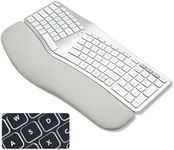
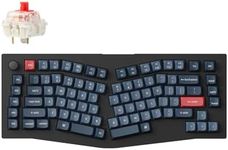
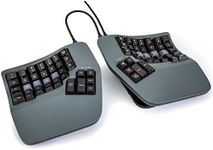
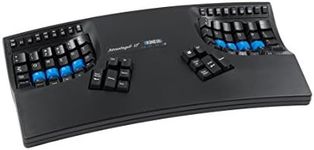
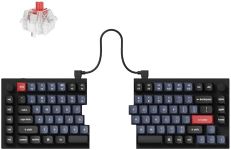
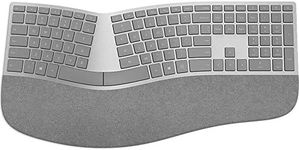
When choosing an ergonomic keyboard, the main goal is to find a model that matches your hand size, typing habits, and overall comfort needs. Ergonomic keyboards are designed to reduce strain on your hands, wrists, and shoulders, potentially lowering the risk of repetitive strain injuries. Since the feel, fit, and features vary a lot, a good starting point is to think about your daily typing amount, your desk setup, and whether you have any current discomfort from typing. It's important to prioritize comfort and support instead of just picking a popular design; what works best depends a lot on you personally.Keyboard Layout and ShapeThis refers to how the keys are arranged and the overall shape the keyboard takes—such as split, curved, or tented designs. The goal is to keep your hands and wrists in a natural, relaxed position while typing. Traditional straight keyboards can lead to awkward wrist angles, while split or curved designs encourage more neutral postures. If you type for long periods or often feel wrist discomfort, a more curved, separated layout may help. However, adapting to split designs can take time—think about how comfortable you are learning a new arrangement.
Key Switch TypeThis specifies the mechanism beneath each key, which affects the feel and sound of typing. There are membrane, scissor, and mechanical switches. Mechanical switches are generally preferred for durability and tactile feedback, while membrane and scissor types are quieter and softer to press. If you type a lot and want precise feedback, mechanical switches are ideal. For a softer, quieter experience, look at membrane or scissor options. Consider what feels most comfortable for your typing style and environment.
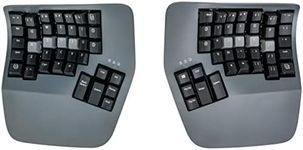
AdjustabilityAdjustability means how much you can change the keyboard’s angle, tenting (center raised), and separation to match your natural position. Some ergonomic keyboards allow you to adjust tilt, split the halves, or raise the center. The more adjustable models can be tailored closely to your body and typing habits. If you have specific pain points or a unique desk setup, higher adjustability might suit you. For general use, basic ergonomic shapes without much customization are usually enough.
Wrist SupportWrist support refers to built-in pads or rests placed where your palms lie while typing, which helps to reduce pressure on your wrists. Some ergonomic keyboards include cushioned wrist rests, while others might be used without any support. If you often rest your wrists while typing, look for models with comfortable, supportive wrist rests to prevent bending. If you use a separate wrist pad or already have good hand posture, built-in wrist support may be less important for you.
Connectivity and CompatibilityThis covers whether the keyboard connects via USB cable, wirelessly, or Bluetooth and if it works with your operating system (Windows, macOS, etc.). USB wired connections are the most straightforward, while wireless and Bluetooth provide greater flexibility. Make sure your keyboard easily connects to your device and operating system. If you move the keyboard between devices or want a cleaner desk, wireless is handy; otherwise, wired options are reliable for stationary setups.
Size and Key LayoutErgonomic keyboards come in various sizes, from full-sized with number pads to more compact layouts that omit extra keys. The choice depends on your need for features like a number pad or shortcut keys. If you often enter numbers or use function keys, a full-sized layout is best. If desk space is limited or portability matters, consider a compact design. Think about your daily tasks and choose a size and layout that lets you work efficiently without causing awkward arm positions.