Buying Guide for the Best Dot Matrix Printers
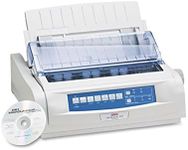
Dot-matrix printers are a type of impact printer that use a print head to strike an ink-soaked ribbon against the paper, creating characters and images out of dots. They are known for their durability and ability to print on multi-part forms, making them ideal for certain business applications. When choosing a dot-matrix printer, it's important to consider several key specifications to ensure you select the best model for your needs.Print SpeedPrint speed, measured in characters per second (cps), indicates how quickly the printer can produce text and images. This is important if you need to print large volumes of documents quickly. Lower speeds (around 200 cps) are suitable for occasional printing, while higher speeds (up to 1000 cps or more) are better for high-volume environments. Consider your typical printing volume to determine the appropriate speed for your needs.
Print QualityPrint quality is determined by the number of pins in the print head, with more pins generally producing higher resolution prints. Common configurations include 9-pin and 24-pin print heads. A 9-pin printer is sufficient for basic text and simple graphics, while a 24-pin printer offers better quality for detailed graphics and clearer text. Choose based on the level of detail and clarity you require in your printed documents.
Paper HandlingPaper handling refers to the types and sizes of paper the printer can accommodate, as well as its ability to handle multi-part forms. Dot-matrix printers can typically handle continuous forms, single sheets, and multi-part forms (such as carbon copies). If you need to print on various paper types or require multi-part forms for invoices or receipts, ensure the printer supports these features. Consider your specific paper handling needs when making your selection.
ConnectivityConnectivity options determine how the printer connects to your computer or network. Common options include parallel, USB, and network interfaces. Parallel and USB connections are suitable for direct connections to a single computer, while network interfaces allow multiple users to access the printer over a network. Choose the connectivity option that best fits your setup and the number of users who need access to the printer.
Durability and ReliabilityDurability and reliability are crucial for ensuring the printer can withstand heavy use and continue to perform well over time. Look for features such as a robust build, long-lasting print heads, and a high mean time between failures (MTBF). If you need a printer for a demanding environment, such as a warehouse or production facility, prioritize models known for their durability and reliability.
Noise LevelNoise level, measured in decibels (dB), indicates how loud the printer is during operation. Dot-matrix printers are generally noisier than other types of printers, which can be a concern in quiet office environments. Lower noise levels (around 50-60 dB) are preferable for office settings, while higher noise levels (above 60 dB) may be acceptable in industrial or less noise-sensitive environments. Consider the noise tolerance of your workspace when choosing a printer.