Buying Guide for the Best Document Cameras
When choosing a document camera, it's important to consider how you plan to use it. Document cameras are versatile tools used in classrooms, offices, and for remote work to display documents, books, or objects in real-time. Understanding the key specifications will help you select a model that best fits your needs, ensuring you get the most out of your investment.ResolutionResolution refers to the clarity and detail of the image captured by the document camera. Higher resolution means sharper and more detailed images. Common resolutions include 720p (HD), 1080p (Full HD), and 4K (Ultra HD). For basic tasks like displaying text documents, 720p may suffice. However, for detailed images or professional presentations, 1080p or 4K is recommended. Choose a resolution based on the level of detail you need to capture and display.
Frame RateFrame rate, measured in frames per second (fps), determines how smoothly the video is displayed. A higher frame rate results in smoother motion, which is important for live demonstrations or when moving objects under the camera. Common frame rates are 15fps, 30fps, and 60fps. For static documents, a lower frame rate like 15fps is adequate. For dynamic presentations or video recording, 30fps or higher is preferable. Consider how much movement will be involved in your use case to decide on the appropriate frame rate.
Zoom CapabilityZoom capability allows you to magnify the image to show fine details. There are two types: optical zoom and digital zoom. Optical zoom uses the camera's lens to magnify the image without losing quality, while digital zoom enlarges the image electronically, which can reduce clarity. Optical zoom is generally more desirable. If you need to show detailed parts of documents or objects, look for a camera with higher optical zoom. For general use, moderate zoom levels should be sufficient.
ConnectivityConnectivity options determine how the document camera connects to other devices like computers, projectors, or interactive whiteboards. Common connections include USB, HDMI, and VGA. USB is widely used for connecting to computers, while HDMI and VGA are used for direct connections to displays. Some models also offer wireless connectivity. Choose a camera with the connectivity options that match your existing equipment and setup preferences.
LightingBuilt-in lighting helps illuminate the document or object being displayed, ensuring clear visibility even in low-light conditions. LED lights are commonly used for this purpose. Consider the lighting conditions in your environment; if you often work in dimly lit areas, a document camera with strong built-in lighting is essential. For well-lit environments, lighting may be less critical, but still beneficial for consistent image quality.
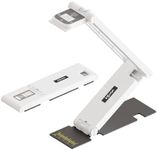
PortabilityPortability refers to the ease with which you can move and set up the document camera. Lightweight and compact models are easier to transport and store. If you need to use the camera in multiple locations or travel frequently, a portable model is ideal. For stationary use in a single location, portability may be less of a concern, allowing you to consider larger models with more features.
Software CompatibilitySoftware compatibility ensures that the document camera works seamlessly with your computer and any presentation or video conferencing software you use. Check if the camera is compatible with your operating system (Windows, macOS, etc.) and any specific software you plan to use. Some cameras come with their own software for additional features like annotation or recording. Ensure the software meets your needs and is user-friendly.