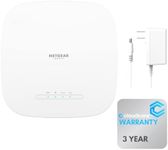
Buying Guide for the Best Ceiling Mounted Wireless Access Point
Choosing the right ceiling-mounted wireless access point (AP) is crucial for ensuring strong and reliable Wi-Fi coverage in your home or office. These devices are designed to be mounted on the ceiling, providing a central location for distributing Wi-Fi signals evenly across a large area. When selecting a ceiling-mounted wireless AP, it's important to consider several key specifications to ensure it meets your needs. Understanding these specs will help you make an informed decision and get the best performance from your network.Wi-Fi StandardsWi-Fi standards determine the speed and range of your wireless network. The most common standards are 802.11n, 802.11ac, and 802.11ax (also known as Wi-Fi 6). 802.11n is older and slower, suitable for basic internet usage. 802.11ac offers faster speeds and better performance for streaming and gaming. 802.11ax provides the highest speeds and efficiency, ideal for high-density environments with many devices. Choose a standard based on your internet usage and the number of devices connected to your network.
Frequency BandsWireless APs operate on different frequency bands, primarily 2.4 GHz and 5 GHz. The 2.4 GHz band has a longer range but is more prone to interference, making it suitable for basic browsing and longer distances. The 5 GHz band offers faster speeds and less interference, ideal for high-bandwidth activities like streaming and gaming. Some APs support both bands (dual-band), providing flexibility and better performance. Consider a dual-band AP if you have a mix of activities and devices.
Coverage AreaThe coverage area of a wireless AP indicates how far the Wi-Fi signal can reach. This is influenced by the power of the AP and the environment (walls, floors, etc.). Small APs cover smaller areas, suitable for single rooms or small offices. Larger APs can cover entire floors or large open spaces. Assess the size of the area you need to cover and choose an AP that can provide adequate coverage without dead spots.
Number of AntennasThe number of antennas on a wireless AP affects its ability to handle multiple devices and maintain strong connections. More antennas generally mean better performance and range. APs with multiple antennas can use technologies like MIMO (Multiple Input Multiple Output) to improve data throughput and reliability. If you have many devices or need robust performance, look for an AP with multiple antennas.
Power over Ethernet (PoE)Power over Ethernet (PoE) allows the AP to receive power and data through a single Ethernet cable, simplifying installation and reducing the need for additional power outlets. This is especially useful for ceiling-mounted APs where running power cables can be challenging. If ease of installation and flexibility in placement are important to you, consider an AP with PoE support.
Security FeaturesSecurity features protect your network from unauthorized access and threats. Look for APs that support the latest security protocols like WPA3, which offers enhanced protection compared to older standards like WPA2. Additional features like guest networks, firewalls, and intrusion detection can further secure your network. Choose an AP with robust security features to keep your data and devices safe.
Management OptionsManagement options determine how you can configure and monitor your AP. Some APs offer simple web-based interfaces, while others provide advanced management through dedicated software or cloud-based platforms. Consider your technical expertise and the level of control you need. For basic setups, a user-friendly interface may suffice. For larger or more complex networks, advanced management features can provide greater control and monitoring capabilities.