Buying Guide for the Best Brother P Touch Label Printer
Choosing the right Brother P-Touch label printer can make your labeling tasks much easier and more efficient. Whether you need it for home, office, or industrial use, understanding the key specifications will help you select the best model for your needs. Consider what you will be labeling, how often you will use the printer, and any specific features that might be important for your tasks. Here are some key specifications to consider when choosing a Brother P-Touch label printer.Print ResolutionPrint resolution refers to the clarity and detail of the printed labels, measured in dots per inch (DPI). Higher DPI means sharper and more detailed labels. For general home or office use, a resolution of 180-200 DPI is usually sufficient. For more detailed labels, such as those needed in industrial settings or for barcodes, a higher resolution of 300 DPI or more may be necessary. Consider what you will be labeling and choose a resolution that meets your clarity needs.
Print SpeedPrint speed indicates how quickly the label printer can produce labels, usually measured in millimeters per second (mm/s). Faster print speeds are beneficial for high-volume labeling tasks, such as in a busy office or warehouse. For occasional home use, a slower print speed may be acceptable. If you need to print a large number of labels quickly, look for a model with a higher print speed.
Label WidthLabel width refers to the maximum width of the labels that the printer can handle. Common widths range from 3.5mm to 36mm. For general home or office use, a width of 12mm to 18mm is often sufficient. For larger labels, such as those used in industrial settings or for signage, you may need a printer that can handle wider labels. Consider the size of the labels you need and choose a printer that can accommodate them.
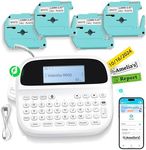
Connectivity OptionsConnectivity options determine how you can connect the label printer to your devices. Common options include USB, Bluetooth, and Wi-Fi. USB connections are reliable and straightforward, suitable for single-user setups. Bluetooth and Wi-Fi offer more flexibility, allowing multiple users to connect wirelessly and print from various devices, including smartphones and tablets. If you need to print from multiple devices or locations, look for a model with wireless connectivity.
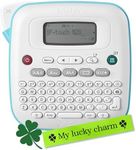
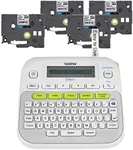
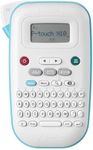
Keyboard and DisplaySome Brother P-Touch label printers come with built-in keyboards and displays, allowing you to create and print labels directly from the printer. This feature is useful for quick, on-the-spot labeling without needing a computer. For more complex labeling tasks, you might prefer a model that connects to a computer or mobile device, where you can use more advanced design software. Consider how you will be creating your labels and choose a model with the appropriate input method.
Durability and Build QualityDurability and build quality are important if you need a label printer for industrial or heavy-duty use. Look for models with robust construction and features like water-resistant or fade-resistant labels. For home or light office use, a less rugged model may be sufficient. Consider the environment in which you will be using the printer and choose one that can withstand the conditions.
Software CompatibilitySoftware compatibility refers to the label design software that can be used with the printer. Brother P-Touch printers often come with their own software, but it's important to ensure it is compatible with your operating system and meets your design needs. Some models also support third-party software for more advanced design options. Consider the complexity of the labels you need to create and choose a printer with compatible software that offers the features you require.