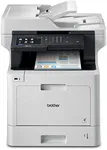
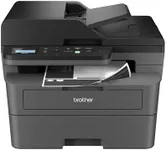
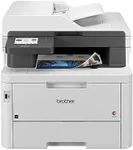
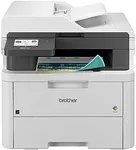
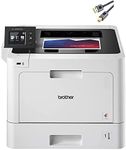
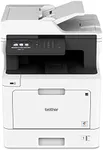
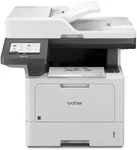
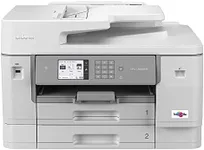
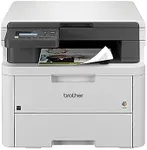
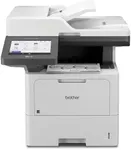
Buying Guide for the Best Brother Multifunction Printers
When choosing a Brother multifunction printer, it's important to consider your specific needs and how the printer's features align with them. Multifunction printers (MFPs) combine printing, scanning, copying, and sometimes faxing capabilities into one device, making them versatile and space-saving. To find the best fit for you, focus on the key specifications that will impact your daily use and overall satisfaction with the printer.Print SpeedPrint speed is measured in pages per minute (PPM) and indicates how quickly the printer can produce documents. This is important if you need to print large volumes of documents regularly. For light home use, a print speed of 20-30 PPM is usually sufficient. For small offices or more frequent printing needs, look for speeds of 30-40 PPM. High-volume environments may require speeds of 40 PPM or more. Consider your typical print volume to determine the right speed for you.
Print QualityPrint quality is measured in dots per inch (DPI) and affects the clarity and detail of printed documents and images. Higher DPI values result in sharper and more detailed prints. For general document printing, 600 x 600 DPI is usually adequate. If you need to print high-quality images or detailed graphics, look for printers with 1200 x 1200 DPI or higher. Assess the type of documents you print most often to choose the appropriate print quality.
Connectivity OptionsConnectivity options determine how you can connect to and use the printer. Common options include USB, Wi-Fi, Ethernet, and mobile printing capabilities like AirPrint and Google Cloud Print. For home use, Wi-Fi connectivity is convenient for wireless printing from multiple devices. In an office setting, Ethernet can provide a stable connection for multiple users. If you frequently print from smartphones or tablets, ensure the printer supports mobile printing. Choose the connectivity options that best match your usage habits.
Paper HandlingPaper handling refers to the types and sizes of paper the printer can accommodate, as well as the capacity of its paper trays. This is important for ensuring the printer meets your document needs without frequent refilling. For home use, a standard tray capacity of 100-250 sheets is usually sufficient. For office use, look for higher capacities of 250-500 sheets or more. If you print on various paper sizes or types, ensure the printer supports them. Consider your typical print jobs to determine the right paper handling capabilities.
Scanning FeaturesScanning features include the resolution, speed, and capabilities of the scanner. Higher resolution (measured in DPI) results in clearer and more detailed scans. For general document scanning, 600 DPI is usually adequate. For high-quality image scanning, look for 1200 DPI or higher. Scanning speed is important if you need to digitize large volumes of documents quickly. Additional features like automatic document feeders (ADF) can save time by allowing you to scan multiple pages at once. Consider how often and what types of documents you scan to choose the right features.
Duplex PrintingDuplex printing allows the printer to automatically print on both sides of the paper, saving time and reducing paper usage. This feature is particularly useful for creating professional-looking documents and for environmentally conscious users. If you frequently print double-sided documents, look for a printer with automatic duplex printing. For occasional use, manual duplex printing (where you manually flip the paper) may be sufficient. Assess your printing habits to determine the importance of this feature.
Fax CapabilityFax capability allows the printer to send and receive faxes, which can be important for certain business environments. If you need to send or receive faxes regularly, ensure the printer includes this feature. For home use or environments where faxing is rare, this feature may not be necessary. Consider how often you use faxing to decide if this capability is important for you.
Operating CostsOperating costs include the price of replacement ink or toner cartridges and the printer's energy consumption. These costs can add up over time, so it's important to consider them when choosing a printer. Look for printers with high-yield cartridges that offer a lower cost per page. Energy-efficient models can also help reduce electricity bills. Consider your printing volume and budget to choose a printer with manageable operating costs.