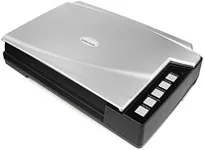
Buying Guide for the Best Book Scanners
Choosing the right book scanner can make a significant difference in how efficiently and effectively you can digitize your books. Whether you are a student, researcher, or simply someone who wants to preserve their book collection, understanding the key specifications of book scanners will help you make an informed decision. Here are the main factors to consider when selecting a book scanner.ResolutionResolution refers to the level of detail that the scanner can capture, usually measured in dots per inch (DPI). Higher resolution means more detail, which is important for capturing clear and readable text and images. For general text scanning, a resolution of 300 DPI is usually sufficient. However, if you need to scan images or detailed illustrations, you might want to look for a scanner with 600 DPI or higher. Consider what you will be scanning most often to determine the right resolution for your needs.
Scanning SpeedScanning speed indicates how quickly a scanner can process pages, typically measured in pages per minute (PPM). Faster scanning speeds can save you a lot of time, especially if you have a large number of books to digitize. Scanners with speeds of 20-30 PPM are generally good for moderate use, while those with speeds above 30 PPM are better for heavy-duty scanning. Think about how often and how many books you will be scanning to choose a scanner with an appropriate speed.
Book CradleA book cradle is a feature that helps to hold the book in place and protect its spine during scanning. This is particularly important for older or delicate books. Some scanners come with adjustable cradles that can accommodate different book sizes and thicknesses. If you plan to scan a variety of book types, look for a scanner with a versatile and adjustable book cradle to ensure the best care for your books.
OCR (Optical Character Recognition)OCR technology allows the scanner to convert scanned images of text into editable and searchable digital text. This is crucial if you need to edit the text or search for specific information within the scanned documents. Not all scanners come with OCR software, so if this feature is important to you, make sure to choose a scanner that includes it. Consider how you will use the scanned documents to decide if OCR is a necessary feature for you.
ConnectivityConnectivity options determine how you can transfer scanned files from the scanner to your computer or other devices. Common connectivity options include USB, Wi-Fi, and cloud services. USB connections are reliable and straightforward, while Wi-Fi allows for wireless scanning and can be more convenient. Some scanners also offer direct upload to cloud services, which can be useful for accessing your scans from multiple devices. Think about your workflow and how you prefer to manage your scanned files to choose the right connectivity options.
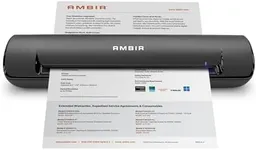
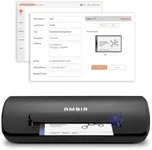
Size and PortabilityThe size and portability of a book scanner can be important depending on where and how you plan to use it. Larger scanners may offer more features and better performance but can be cumbersome to move and require more space. Portable scanners are smaller and easier to transport but may have fewer features. If you need to scan books in different locations or have limited space, a portable scanner might be the best choice. Consider your scanning environment and mobility needs when selecting the size of your scanner.