Buying Guide for the Best Benq Monitors
When choosing a BenQ monitor, it's important to consider your specific needs and how you plan to use the monitor. Whether you're a gamer, a professional graphic designer, or just need a monitor for everyday tasks, understanding the key specifications will help you make an informed decision. Here are some key specs to consider and how to navigate them to find the best fit for you.Screen SizeScreen size refers to the diagonal measurement of the monitor's display area. This spec is important because it affects your viewing experience and workspace. Smaller screens (under 24 inches) are typically sufficient for basic tasks and small spaces. Medium screens (24-27 inches) offer a good balance for general use, gaming, and productivity. Larger screens (28 inches and above) provide more screen real estate, which is beneficial for multitasking, professional work, and immersive gaming. Choose a size that fits your desk space and meets your usage needs.
ResolutionResolution indicates the number of pixels on the screen, usually given as width x height (e.g., 1920x1080). Higher resolution means more detail and sharper images. Common resolutions include Full HD (1920x1080), Quad HD (2560x1440), and 4K (3840x2160). Full HD is adequate for general use and gaming. Quad HD offers more detail, making it suitable for professional work and gaming. 4K provides the highest detail, ideal for professional graphic design, video editing, and high-end gaming. Choose a resolution that matches your usage and the capabilities of your computer.
Refresh RateRefresh rate is the number of times the screen updates per second, measured in Hertz (Hz). This spec is crucial for smooth motion in gaming and video playback. Standard monitors have a 60Hz refresh rate, which is sufficient for everyday tasks and casual gaming. Higher refresh rates, such as 120Hz, 144Hz, or even 240Hz, provide smoother motion and are preferred for competitive gaming. If you're a gamer, especially in fast-paced genres, a higher refresh rate can enhance your experience. For non-gamers, a standard refresh rate is usually adequate.
Panel TypePanel type affects the monitor's color accuracy, viewing angles, and response time. The main types are TN (Twisted Nematic), IPS (In-Plane Switching), and VA (Vertical Alignment). TN panels have fast response times and are budget-friendly, but offer poorer color accuracy and viewing angles. IPS panels provide excellent color accuracy and wide viewing angles, making them ideal for professional work and general use. VA panels offer good color accuracy and contrast, with better viewing angles than TN but slower response times than IPS. Choose a panel type based on your priority: speed for gaming (TN), color accuracy for professional work (IPS), or a balance for general use (VA).
Response TimeResponse time measures how quickly a pixel can change from one color to another, usually in milliseconds (ms). Lower response times reduce motion blur and ghosting, which is important for gaming and fast-moving content. Typical response times range from 1ms to 5ms. For competitive gaming, a response time of 1ms to 2ms is ideal. For general use and professional work, a response time of 4ms to 5ms is usually sufficient. Consider your primary use case to determine the appropriate response time for your monitor.
ConnectivityConnectivity refers to the types and number of ports available on the monitor, such as HDMI, DisplayPort, USB, and VGA. This spec is important for ensuring compatibility with your computer and other devices. HDMI and DisplayPort are common for modern computers and provide high-quality video and audio. USB ports can be useful for connecting peripherals. VGA is older and less common but may be needed for older devices. Ensure the monitor has the necessary ports for your setup and consider future-proofing with multiple and versatile connectivity options.
ErgonomicsErgonomics refers to the monitor's adjustability features, such as height, tilt, swivel, and pivot. These features are important for creating a comfortable and healthy workspace. Adjustable monitors allow you to position the screen at eye level and reduce strain on your neck and eyes. If you spend long hours at your desk, look for a monitor with good ergonomic options. For occasional use, basic tilt adjustment may be sufficient. Consider your workspace setup and how much adjustability you need for comfort.
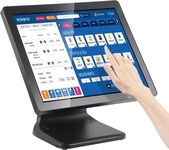

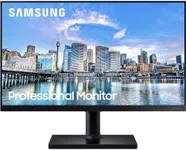

![KYY Portable Monitor 15.6'' 1080P FHD USB-C Laptop Monitors w/Smart Cover & Dual Speaker, HDMI Computer Display IPS HDR External Gaming Monitor for PC Phone Mac Xbox PS4 Switch[Upgraded]](https://images-proxy.bestreviews.guide/Z3Py4aydNVRBPI1sova4UgLXcgM=/0x150/https://m.media-amazon.com/images/I/41CdBgZtF7L._AC_CX679_.jpg)