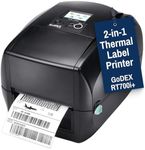
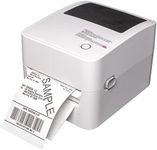
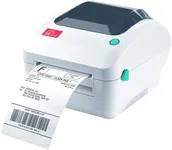
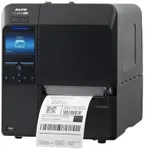
Buying Guide for the Best Barcode Printers
Choosing the right barcode printer is essential for ensuring efficient and accurate labeling in your business operations. Whether you need a barcode printer for retail, manufacturing, healthcare, or logistics, understanding the key specifications will help you make an informed decision. Here are the main factors to consider when selecting a barcode printer.Print TechnologyPrint technology refers to the method a barcode printer uses to produce labels. The two main types are direct thermal and thermal transfer. Direct thermal printers use heat-sensitive paper and are ideal for short-term labeling, such as shipping labels. Thermal transfer printers use a ribbon to transfer ink onto the label, making them suitable for long-lasting labels that can withstand harsh environments. Choose direct thermal for temporary labels and thermal transfer for durable, long-lasting labels.
Print ResolutionPrint resolution is measured in dots per inch (DPI) and determines the clarity and detail of the printed barcode. Common resolutions are 203 DPI, 300 DPI, and 600 DPI. A higher DPI produces sharper and more detailed barcodes, which is important for small labels or those with intricate designs. For general use, 203 DPI is usually sufficient. For high-quality, detailed labels, consider 300 DPI or higher.
Print SpeedPrint speed is measured in inches per second (IPS) and indicates how quickly a printer can produce labels. Faster print speeds are beneficial for high-volume printing environments, such as warehouses or production lines. Typical print speeds range from 2 to 12 IPS. If you need to print large quantities of labels quickly, opt for a printer with a higher IPS. For lower volume needs, a slower speed may be adequate.
Label Size CompatibilityLabel size compatibility refers to the range of label sizes a printer can handle. This is important because different applications require different label sizes. Ensure the printer you choose can accommodate the smallest and largest labels you plan to use. For example, retail price tags may require small labels, while shipping labels need larger ones. Check the printer's specifications for minimum and maximum label width and length.
Connectivity OptionsConnectivity options determine how the printer connects to your computer or network. Common options include USB, Ethernet, Wi-Fi, and Bluetooth. USB is suitable for direct connections to a single computer, while Ethernet and Wi-Fi are ideal for networked environments where multiple users need access. Bluetooth is useful for mobile printing applications. Choose the connectivity option that best fits your operational setup and ensures seamless integration with your existing systems.
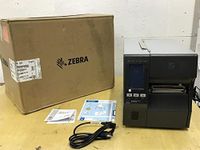
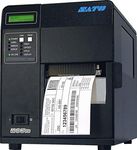
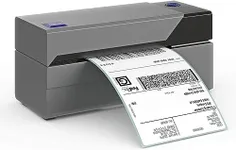
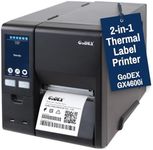
Durability and Build QualityDurability and build quality are crucial for ensuring the printer can withstand the demands of your work environment. Industrial barcode printers are built to handle heavy-duty use and harsh conditions, making them suitable for manufacturing and warehousing. Desktop barcode printers are more compact and designed for lighter use, such as in retail or office settings. Consider the environment in which the printer will be used and choose a model that offers the necessary durability.
Ease of UseEase of use encompasses the printer's user interface, setup process, and maintenance requirements. A printer with an intuitive interface and straightforward setup can save time and reduce the learning curve for new users. Features like easy label loading, clear display screens, and simple maintenance procedures contribute to overall ease of use. If you have a team with varying levels of technical expertise, prioritize a printer that is user-friendly and requires minimal training.
Software CompatibilitySoftware compatibility refers to the printer's ability to work with your existing label design and printing software. Ensure the printer supports the software you use for creating and managing labels. Many printers come with their own software, but compatibility with popular third-party programs can offer more flexibility. Check for compatibility with your operating system and any specific software features you need, such as barcode generation or database integration.