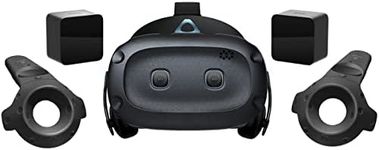
Buying Guide for the Best Virtual Reality Headsets
Shopping for a virtual reality (VR) headset can be exciting but a bit overwhelming due to the many types and specs available. To find the best headset for you, it's important to consider what you want to do in VR, whether that's gaming, watching movies, learning, or social interaction. The best fit will depend on your usage scenarios, comfort preferences, and the devices you already own. Understanding key features of VR headsets will help you make a more informed decision and ensure a satisfying VR experience.Display ResolutionDisplay resolution describes how many pixels are packed into each eye’s screen. This impacts the sharpness and clarity of the VR image; higher resolutions look crisper and can reduce the 'screen door effect' where you notice lines between pixels. Headsets can have resolutions that range from lower (resulting in more visible pixels and less clarity) to higher (for clearer, more realistic visuals). If you want to enjoy detailed environments or read text in VR, a higher resolution is beneficial, but if your VR use is casual or focused on simple games, a standard resolution might suffice.
Refresh RateRefresh rate, measured in Hertz (Hz), tells you how many times per second the display updates. This is important for fluid movement and to reduce motion sickness. Lower refresh rates (like 60 Hz) may cause the image to feel less smooth and increase discomfort, while mid-range (90 Hz) or high refresh rates (120 Hz and above) deliver smoother, more comfortable viewing. If you are sensitive to motion or plan on long sessions, prioritize a higher refresh rate.
Field of ViewField of view (FOV) is the extent of the observable world you can see at once in VR. A wider FOV provides a more immersive experience, as you see more at the edges of your vision, while a narrower FOV can feel more enclosed or like looking through binoculars. Typically, FOV values range from around 90° to over 110°. If immersion and realism are important to you, aim for a wider field of view, but for brief or basic use, standard FOV may be sufficient.
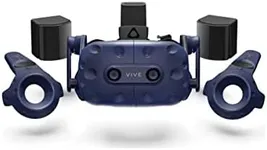
Tracking SystemThe tracking system determines how well the headset detects your movements. Some headsets use internal sensors (inside-out tracking), while others depend on external cameras or base stations (outside-in tracking). Inside-out tracking is more convenient and easier to set up, ideal for casual users or those with limited space. Outside-in tracking can be more accurate, preferred for fast-paced gaming or complex movement. Choose the tracking type based on how important precise movement tracking is for your activities.
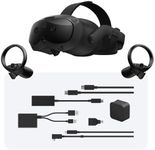
Platform CompatibilityPlatform compatibility refers to which devices or systems the headset works with, such as gaming consoles, PCs, or as a standalone unit. Some headsets connect directly to powerful computers or consoles, allowing graphically intensive games, while others are all-in-one and work without any extra hardware, making them portable and simpler to use. Pick your headset based on what technology you already have and what kind of content you want to access.
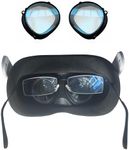
Comfort and AdjustabilityComfort covers how the headset feels on your head and face, including weight, padding, strap design, and adjustability for different head sizes. Headsets that are heavier or have less padding may be uncomfortable for long sessions. Adjustable straps, replaceable face cushions, and lighter designs are better for extended use, family sharing, or if you wear glasses. Think about how long and how often you plan to use the headset to decide what comfort features matter most.
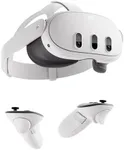
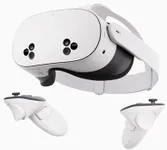
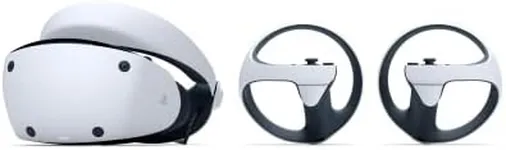
Controller TypeVR controllers are your main way to interact in virtual worlds. Some systems use simple wands, while others offer advanced controllers with precise finger tracking. Basic controllers are suitable for watching media or simple experiences, whereas gaming or creative work benefits from more sophisticated controllers that let you grab, point, or gesture naturally. Match your expected activities to the type of controller best suited for them.