Buying Guide for the Best Projector For Home Theater
Choosing the right projector for your home theater can significantly enhance your viewing experience. The key is to understand the various specifications and how they align with your specific needs. By focusing on the right specs, you can ensure that you get a projector that delivers the best picture quality, brightness, and overall performance for your home theater setup.ResolutionResolution refers to the number of pixels that make up the image on the screen. Higher resolution means more pixels and a clearer, more detailed picture. Common resolutions include 720p (HD), 1080p (Full HD), and 4K (Ultra HD). For a home theater, 1080p is generally the minimum you should consider, as it provides a good balance of quality and affordability. If you want the best possible picture quality and are willing to invest more, a 4K projector will offer superior detail and clarity, especially on larger screens.
Brightness (Lumens)Brightness, measured in lumens, indicates how much light the projector can produce. This is important because it affects how well the image can be seen in different lighting conditions. For a dedicated home theater room with controlled lighting, a projector with 1500 to 2500 lumens is usually sufficient. If you plan to use the projector in a room with some ambient light, you might need a brighter projector, around 3000 lumens or more, to ensure the image remains clear and vibrant.
Contrast RatioContrast ratio measures the difference between the darkest and brightest parts of an image. A higher contrast ratio means deeper blacks and more vibrant colors, which is crucial for creating a cinematic experience. Look for a projector with a contrast ratio of at least 10,000:1 for a good home theater experience. Higher contrast ratios, such as 100,000:1 or more, will provide even better image quality, especially in dark scenes.
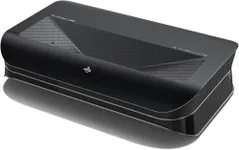
Throw Distance and Screen SizeThrow distance is the distance between the projector and the screen, while screen size refers to the size of the projected image. These factors are important to ensure the projector fits your room and provides the desired image size. Short throw projectors can produce a large image from a short distance, making them ideal for smaller rooms. Standard throw projectors require more distance to achieve the same image size. Measure your room and decide on the screen size you want to determine the appropriate throw distance for your projector.
Lens Shift and Keystone CorrectionLens shift and keystone correction are features that help you adjust the image to fit your screen perfectly. Lens shift allows you to move the image vertically and horizontally without moving the projector, which is useful for flexible placement. Keystone correction helps to correct any distortion if the projector is not perfectly aligned with the screen. These features are particularly important if you have limited placement options or need to set up the projector at an angle.
Lamp LifeLamp life indicates how long the projector's lamp will last before it needs to be replaced. This is measured in hours and can range from 2,000 to 20,000 hours or more. Longer lamp life means less frequent replacements and lower maintenance costs. For a home theater, look for a projector with a lamp life of at least 5,000 hours to ensure you get plenty of use before needing a replacement.
ConnectivityConnectivity options determine how you can connect your projector to other devices, such as Blu-ray players, gaming consoles, and streaming devices. Common connections include HDMI, USB, and VGA. Ensure the projector has enough HDMI ports for your needs, as this is the most common connection for high-definition devices. Some projectors also offer wireless connectivity, which can be convenient for streaming content directly from your smartphone or computer.
Built-in SpeakersWhile built-in speakers can be convenient, they often do not provide the best sound quality for a home theater experience. If you are serious about creating a cinematic atmosphere, consider using external speakers or a sound system. However, if you need a simple setup or plan to use the projector in different locations, built-in speakers can be a useful feature.