Buying Guide for the Best Gaming Keyboard And Mouse Combo Wireless
Choosing the right gaming keyboard and mouse combo can significantly enhance your gaming experience. When selecting a wireless combo, it's important to consider several key specifications to ensure that the products meet your gaming needs. The right combination will offer comfort, responsiveness, and durability, allowing you to perform at your best during gaming sessions. Here are the key specs to consider and how to navigate them to find the best fit for you.ConnectivityConnectivity refers to how the keyboard and mouse connect to your computer. For wireless combos, this is typically done via Bluetooth or a USB dongle. Bluetooth offers the advantage of not using up a USB port, but it may have slightly higher latency compared to a USB dongle. A USB dongle generally provides a more stable and faster connection, which is crucial for gaming. If you prioritize a clutter-free setup, Bluetooth might be the way to go. However, if you need the lowest possible latency for competitive gaming, a USB dongle is preferable.
Battery LifeBattery life is the duration the keyboard and mouse can operate before needing a recharge or battery replacement. This is important because frequent recharging or changing batteries can be inconvenient, especially during long gaming sessions. Battery life can range from a few days to several months. For casual gamers, a combo with moderate battery life might suffice, but for hardcore gamers, a longer battery life is essential to avoid interruptions.
Key Switch TypeThe key switch type determines the feel and responsiveness of the keyboard keys. Mechanical switches are popular among gamers for their tactile feedback and durability, with options like linear, tactile, and clicky switches. Membrane switches are quieter and less expensive but may not offer the same level of responsiveness. If you prefer a tactile and responsive feel, mechanical switches are the way to go. For a quieter and more budget-friendly option, consider membrane switches.
DPI (Dots Per Inch)DPI measures the sensitivity of the mouse. Higher DPI means the cursor moves further on the screen with less physical movement of the mouse. This is important for precision in gaming. DPI settings can range from a few hundred to several thousand. For fast-paced games that require quick movements, a higher DPI is beneficial. For games that require precision aiming, a lower DPI might be more suitable. Many gaming mice offer adjustable DPI settings, allowing you to customize sensitivity based on your needs.
ErgonomicsErgonomics refers to how comfortable the keyboard and mouse are to use over extended periods. This is crucial to prevent strain and injury during long gaming sessions. Look for a keyboard with a comfortable wrist rest and a mouse that fits well in your hand. Ergonomic designs vary, so it's important to choose a combo that feels comfortable for your specific hand size and grip style. Testing different shapes and sizes can help you find the most comfortable option.
Programmable ButtonsProgrammable buttons on the mouse and keyboard allow you to customize functions and create macros for specific actions in games. This can give you a competitive edge by allowing quicker access to commands. The number of programmable buttons can vary widely. If you play games that require complex commands or multiple keybindings, look for a combo with more programmable buttons. For simpler gaming needs, fewer programmable buttons may suffice.
Build QualityBuild quality refers to the durability and sturdiness of the keyboard and mouse. High-quality materials and construction ensure that the combo can withstand intense gaming sessions and last longer. Look for features like reinforced cables, sturdy keycaps, and a solid mouse body. If you are a heavy gamer, investing in a combo with high build quality is essential to ensure longevity and reliability.
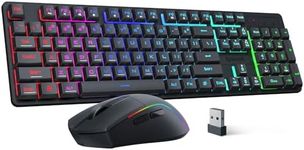
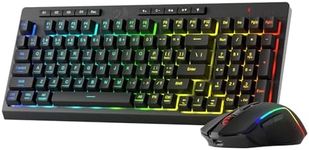
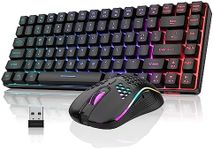
LightingLighting, particularly RGB lighting, is a popular feature in gaming keyboards and mice. It adds a visual appeal and can also provide functional benefits, such as highlighting important keys. RGB lighting can be customized to match your gaming setup or to create specific lighting effects. If aesthetics and customization are important to you, look for a combo with customizable RGB lighting. If you prefer a more understated look, a combo with simple backlighting or no lighting at all might be better.