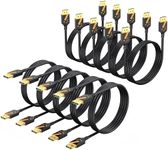
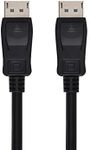
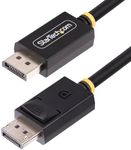
Buying Guide for the Best Displayport Cables
When choosing a DisplayPort cable, it's important to understand the key specifications that will ensure you get the best performance for your needs. DisplayPort cables are used to connect a video source to a display device, such as a monitor, and they can support high resolutions and refresh rates. Knowing what to look for in a DisplayPort cable will help you make an informed decision and ensure compatibility with your devices.VersionThe version of the DisplayPort cable determines the features and capabilities it supports. DisplayPort versions include 1.1, 1.2, 1.3, 1.4, and 2.0, with each version offering improvements in bandwidth, resolution, and refresh rates. For example, DisplayPort 1.2 supports up to 4K resolution at 60Hz, while DisplayPort 1.4 can handle 8K resolution at 60Hz. If you need to connect to a high-resolution monitor or use advanced features like HDR, choose a cable with a higher version number. For basic use, such as connecting to a standard HD monitor, a lower version may suffice.
BandwidthBandwidth refers to the amount of data that can be transmitted through the cable per second. Higher bandwidth allows for higher resolutions and refresh rates. DisplayPort 1.2 offers a maximum bandwidth of 21.6 Gbps, while DisplayPort 1.4 provides up to 32.4 Gbps. If you plan to use your cable for gaming or professional video editing, where high resolution and fast refresh rates are crucial, opt for a cable with higher bandwidth. For everyday tasks like browsing and office work, lower bandwidth will be adequate.
Resolution and Refresh RateThe resolution and refresh rate that a DisplayPort cable can support are critical for ensuring a clear and smooth display. Higher resolutions, such as 4K and 8K, provide more detailed images, while higher refresh rates, like 60Hz or 144Hz, result in smoother motion. If you are a gamer or a professional who requires high-quality visuals, choose a cable that supports higher resolutions and refresh rates. For general use, such as watching videos or working on documents, a cable that supports 1080p resolution at 60Hz will be sufficient.
Cable LengthThe length of the DisplayPort cable can affect signal quality. Longer cables may experience signal degradation, especially if they are not well-shielded. Standard lengths range from 3 feet to 10 feet, but longer cables are available. If you need to connect devices that are far apart, consider using a shorter cable to maintain signal integrity or look for an active cable that boosts the signal. For most setups, a cable length of 6 feet is usually adequate.
Connector TypeDisplayPort cables come with different connector types, including standard DisplayPort, Mini DisplayPort, and USB-C with DisplayPort Alt Mode. The type of connector you need depends on the ports available on your devices. Standard DisplayPort connectors are common on desktop monitors and graphics cards, while Mini DisplayPort is often found on laptops and some tablets. USB-C with DisplayPort Alt Mode is used on newer devices, such as smartphones and ultrabooks. Ensure that the cable you choose has the appropriate connectors for your devices.
Build QualityThe build quality of a DisplayPort cable can impact its durability and performance. Look for cables with good shielding to protect against electromagnetic interference, and consider those with gold-plated connectors for better conductivity and corrosion resistance. A well-built cable will last longer and provide a more reliable connection. If you frequently plug and unplug your cable or use it in a demanding environment, investing in a high-quality cable is advisable.
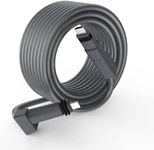

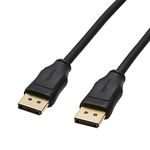



![Cable Matters [VESA Certified] 80Gbps DisplayPort 2.1 Cable - 6.6ft / 2m, DP80 Cable with 16K 60Hz, 8K 240Hz, 4K 240Hz, FreeSync, G-SYNC and HDR for Gaming Monitor, PC, RTX 4080/4090, RX 7900, Black](https://images-proxy.bestreviews.guide/Jd2GmZayGT6HVCMJTR4au-8_Zak=/0x150/https://m.media-amazon.com/images/I/41jZywVptuL._AC_CX679_.jpg)
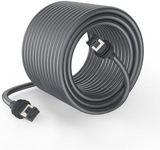
![Cable Matters [VESA Certified] 6 ft 32.4Gbps Braided DisplayPort Cable 1.4, 8K 60Hz / 4K 240Hz DisplayPort 1.4 Cable with FreeSync, G-SYNC and HDR for Gaming Monitor, PC, RTX 4080/4090, RX 6800/6900](https://images-proxy.bestreviews.guide/dBlGAEg5BMBPgYIw6gNgND8dNU8=/0x150/https://m.media-amazon.com/images/I/41-vGMnOAbL._AC_CX679_.jpg)