Buying Guide for the Best Time Clocks For Small Businesses
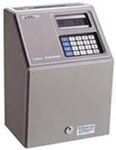
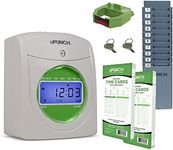
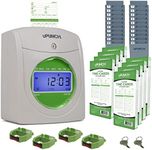
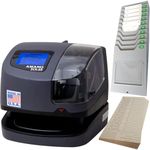
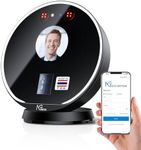
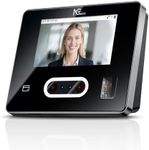
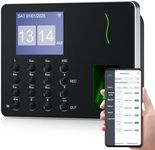
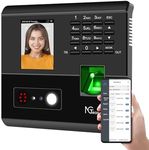
Choosing the right time clock for your small business is crucial for efficient workforce management. A time clock helps you track employee hours, manage payroll, and ensure compliance with labor laws. When selecting a time clock, consider the size of your business, the number of employees, and the specific needs of your operations. Here are some key specifications to consider and how to navigate them to find the best fit for your business.Type of Time ClockTime clocks come in various types, including manual punch clocks, digital time clocks, biometric time clocks, and software-based systems. Manual punch clocks are simple and cost-effective but may not be suitable for larger teams. Digital time clocks offer more features like automatic calculations and data storage. Biometric time clocks use fingerprints or facial recognition for added security and accuracy. Software-based systems provide the most flexibility and can integrate with other business tools. Choose the type that aligns with your business size, security needs, and desired level of automation.
Employee CapacityEmployee capacity refers to the maximum number of employees the time clock can manage. For small businesses with fewer employees, a time clock with a lower capacity will suffice. However, if you anticipate growth, consider a model that can handle more employees to avoid the need for an upgrade later. Typically, time clocks are segmented into small (up to 50 employees), medium (50-100 employees), and large (over 100 employees) capacities. Assess your current workforce and future growth plans to determine the right capacity for your business.
Connectivity OptionsConnectivity options include how the time clock communicates with your payroll system and other business tools. Common options are USB, Ethernet, Wi-Fi, and cloud-based connections. USB and Ethernet connections are reliable but may require physical proximity to your computer or network. Wi-Fi and cloud-based connections offer more flexibility and remote access, which can be beneficial for businesses with multiple locations or remote employees. Choose the connectivity option that best fits your business setup and technological infrastructure.
Integration with Payroll SystemsIntegration with payroll systems ensures that the time clock can seamlessly transfer employee hours to your payroll software, reducing manual data entry and errors. Look for time clocks that are compatible with your existing payroll system or offer easy integration with popular payroll software. This feature is particularly important for businesses looking to streamline their payroll process and improve accuracy. Check the compatibility list provided by the time clock manufacturer to ensure it meets your needs.
Ease of UseEase of use refers to how simple and intuitive the time clock is for both employees and administrators. A user-friendly interface reduces the learning curve and minimizes errors. Consider time clocks with clear displays, straightforward navigation, and easy setup processes. For businesses with less tech-savvy employees, a simpler model may be more appropriate. Test the interface if possible, or read user reviews to gauge the ease of use before making a decision.
Security FeaturesSecurity features protect against time theft and ensure accurate time tracking. Biometric time clocks offer high security by using unique physical characteristics like fingerprints or facial recognition. PIN codes and RFID cards are also common security measures. For businesses where security and accuracy are paramount, investing in a time clock with advanced security features is advisable. Evaluate the level of security your business requires and choose a time clock that provides the necessary protection.
Data Storage and BackupData storage and backup capabilities ensure that employee time records are securely stored and can be retrieved in case of system failures. Some time clocks store data locally, while others use cloud storage for added security and accessibility. Consider the volume of data your business generates and the importance of data security. For businesses with high data security needs, cloud-based storage with automatic backups is a reliable option. Assess your data storage requirements and choose a time clock that offers adequate storage and backup solutions.