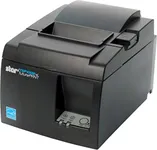
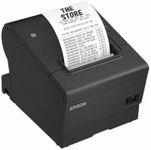
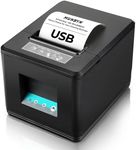
Buying Guide for the Best Thermal Receipt Printers
When choosing a thermal receipt printer, it's important to consider several key specifications to ensure you select the best model for your needs. Thermal receipt printers are widely used in retail, hospitality, and other industries for their speed, reliability, and low maintenance. Understanding the key features and how they align with your specific requirements will help you make an informed decision.Print SpeedPrint speed refers to how quickly the printer can produce a receipt, usually measured in millimeters per second (mm/s). This is important because faster print speeds can improve customer service efficiency, especially in high-traffic environments. Print speeds can range from around 150 mm/s to over 300 mm/s. For busy retail or hospitality settings, a higher print speed is beneficial to keep lines moving quickly. For smaller businesses with less frequent transactions, a moderate print speed may be sufficient.
Print ResolutionPrint resolution is measured in dots per inch (DPI) and determines the clarity and detail of the printed receipts. Higher resolution results in sharper text and graphics, which can be important for branding and readability. Common resolutions are 203 DPI and 300 DPI. If your receipts include detailed logos or graphics, a higher resolution printer is preferable. For basic text receipts, a standard resolution will suffice.
Connectivity OptionsConnectivity options refer to how the printer connects to your point-of-sale (POS) system. Common options include USB, Ethernet, Bluetooth, and Wi-Fi. The right choice depends on your setup and mobility needs. USB and Ethernet are reliable for stationary setups, while Bluetooth and Wi-Fi offer more flexibility for mobile or wireless environments. Consider your current POS system and whether you need the printer to be easily movable or part of a fixed station.
Paper WidthPaper width is the width of the receipt paper the printer can handle, typically measured in millimeters. Standard widths are 58mm and 80mm. Wider paper can accommodate more information and larger text, which can be useful for detailed receipts or promotional messages. Narrower paper is more compact and can save on paper costs. Choose a width that matches your receipt content and desired layout.
Cutter TypeCutter type refers to how the printer cuts the paper after printing. There are manual cutters, partial cutters, and auto cutters. Auto cutters are the most convenient, automatically cutting the paper after each receipt, which speeds up the process and ensures clean cuts. Partial cutters leave a small connection, making it easy to tear off the receipt. Manual cutters require the user to tear the paper themselves. For high-volume environments, an auto cutter is ideal. For lower volume or cost-saving, a manual or partial cutter may be sufficient.
Durability and ReliabilityDurability and reliability refer to the printer's ability to withstand heavy use and its expected lifespan. This includes the printer's build quality, the lifespan of the print head, and the mean time between failures (MTBF). A more durable printer will have a longer lifespan and require less maintenance, which is crucial for busy environments. Look for printers with high MTBF ratings and robust construction if you expect heavy use. For lighter use, a standard durability rating may be adequate.
CompatibilityCompatibility refers to how well the printer integrates with your existing POS system and software. It's important to ensure that the printer supports the operating system and POS software you are using. Some printers come with drivers and software that make integration easier. Check the printer's specifications for compatibility with your system to avoid any connectivity or functionality issues.