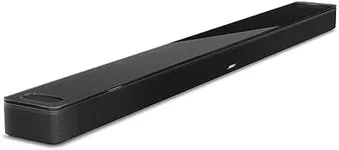
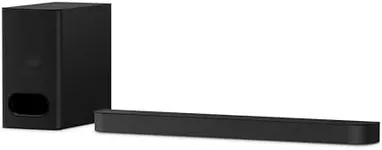
Buying Guide for the Best Soundbars For Tv
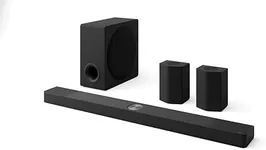
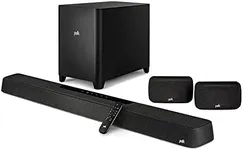
Choosing the right soundbar for your TV can significantly enhance your viewing experience by providing better sound quality than your TV's built-in speakers. When selecting a soundbar, it's important to consider various specifications to ensure it meets your needs and preferences. Here are some key specs to look out for and how to navigate them.Audio ChannelsAudio channels refer to the number of separate audio tracks that a soundbar can produce. Common configurations include 2.0, 2.1, 3.1, 5.1, and even 7.1 channels. A 2.0 soundbar has two channels (left and right), while a 2.1 adds a subwoofer for bass. Higher numbers like 5.1 and 7.1 include additional channels for surround sound. If you want a simple upgrade from your TV speakers, a 2.0 or 2.1 soundbar might suffice. For a more immersive experience, especially for movies and gaming, consider a 5.1 or 7.1 soundbar.
Connectivity OptionsConnectivity options determine how you can connect the soundbar to your TV and other devices. Common options include HDMI ARC, optical, Bluetooth, and AUX. HDMI ARC provides the best sound quality and allows for easy control with your TV remote. Optical connections also offer good quality but lack some of the advanced features of HDMI ARC. Bluetooth is great for wireless streaming from your phone or tablet. Choose a soundbar with the connectivity options that match your devices and how you plan to use it.
Power OutputPower output, measured in watts, indicates the soundbar's loudness and overall audio performance. Higher wattage generally means louder and clearer sound. For small to medium-sized rooms, a soundbar with 100-300 watts should be sufficient. For larger rooms or if you want a more powerful sound, look for soundbars with 300 watts or more. Consider your room size and how loud you like your audio when choosing the power output.
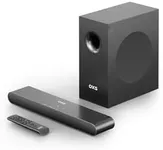
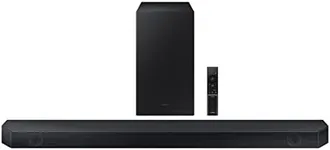
SubwooferA subwoofer is a speaker dedicated to reproducing low-frequency sounds, adding depth and richness to your audio experience. Some soundbars come with a built-in subwoofer, while others include a separate wireless or wired subwoofer. If you enjoy bass-heavy music or want to feel the rumble in action movies, a soundbar with a subwoofer is a good choice. For a more compact setup, a built-in subwoofer might be more convenient.
Sound ModesSound modes are preset audio settings that optimize the soundbar's performance for different types of content, such as movies, music, sports, or dialogue. These modes adjust the soundbar's equalizer settings to enhance specific audio elements. If you watch a variety of content, look for a soundbar with multiple sound modes to ensure the best audio experience for each type. Consider your primary use case and choose a soundbar with modes that match your preferences.
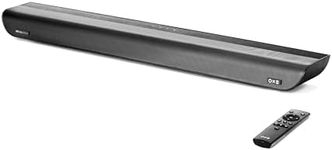
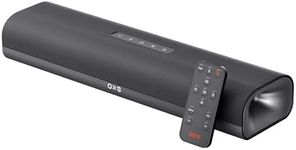
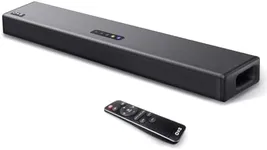
Size and DesignThe size and design of the soundbar should complement your TV and fit well in your living space. Soundbars come in various lengths and styles, from compact models to larger, more elaborate designs. Measure the space where you plan to place the soundbar and ensure it won't block your TV screen or interfere with other devices. Choose a design that matches your aesthetic preferences and fits seamlessly into your home setup.
Voice Control and Smart FeaturesSome soundbars come with built-in voice assistants like Amazon Alexa or Google Assistant, allowing you to control the soundbar and other smart home devices with voice commands. Additionally, smart features like Wi-Fi connectivity and app control can enhance your user experience. If you have a smart home setup or enjoy using voice commands, look for a soundbar with these features. Consider how important these conveniences are to you when making your decision.