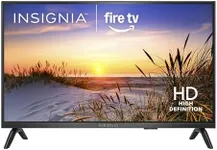
Buying Guide for the Best Small Smart TVs
When choosing a small smart TV, it's important to consider several key specifications to ensure you get the best fit for your needs. Small smart TVs are typically those with screen sizes ranging from 24 to 43 inches. These TVs are perfect for smaller rooms, kitchens, or as secondary TVs. To make an informed decision, you should understand the key specs and how they align with your viewing habits and preferences.Screen SizeScreen size is measured diagonally from corner to corner and is one of the most important factors to consider. For small smart TVs, sizes usually range from 24 to 43 inches. A 24-32 inch TV is ideal for small spaces like kitchens or bedrooms, while a 40-43 inch TV is better suited for slightly larger rooms or as a secondary TV in a living room. Choose a size that fits comfortably in your space and provides a good viewing experience from your typical seating distance.
ResolutionResolution refers to the number of pixels that make up the picture on the screen. Common resolutions for small smart TVs are HD (720p), Full HD (1080p), and 4K (2160p). HD is sufficient for very small screens or casual viewing, Full HD offers better clarity and detail, and 4K provides the highest resolution with the sharpest picture quality. If you plan to watch a lot of high-definition content or use the TV for gaming, a higher resolution like Full HD or 4K is recommended.
Smart TV PlatformThe smart TV platform is the operating system that allows you to access streaming services, apps, and other online content. Popular platforms include Roku, Amazon Fire TV, Android TV, and proprietary systems from brands like Samsung and LG. Each platform has its own interface and app availability. Choose a platform that offers the apps and services you use most frequently and has an interface you find easy to navigate.
ConnectivityConnectivity options determine how you can connect other devices to your TV. Important ports include HDMI, USB, and audio outputs. HDMI ports are essential for connecting devices like gaming consoles, Blu-ray players, and streaming devices. USB ports allow you to connect external storage or other peripherals. Ensure the TV has enough ports to accommodate all your devices. Additionally, check for Wi-Fi and Bluetooth capabilities for wireless connections.
Sound QualitySound quality is often overlooked but crucial for an immersive viewing experience. Small smart TVs may have limited built-in speakers, so consider the audio output and whether it meets your needs. Look for TVs with good built-in speakers or consider investing in external sound systems like soundbars for better audio quality. If you watch a lot of movies or listen to music on your TV, sound quality should be a priority.
Refresh RateThe refresh rate, measured in Hertz (Hz), indicates how many times per second the TV refreshes the image on the screen. Common refresh rates are 60Hz and 120Hz. A higher refresh rate results in smoother motion, which is particularly important for fast-paced content like sports and action movies. For general TV watching, 60Hz is usually sufficient, but if you enjoy watching a lot of fast-moving content, a 120Hz refresh rate may provide a better experience.