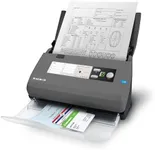
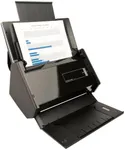
Buying Guide for the Best ScanSnap Scanners
When choosing a ScanSnap scanner, it's important to consider your specific needs and how you plan to use the scanner. ScanSnap scanners are known for their reliability and ease of use, but different models offer various features that can make a big difference depending on your requirements. Here are some key specifications to consider when selecting the best ScanSnap scanner for you.Scan SpeedScan speed refers to how quickly the scanner can process documents, usually measured in pages per minute (ppm). This is important if you have a large volume of documents to scan regularly. For light use, a scan speed of 10-20 ppm may be sufficient. For moderate use, look for speeds around 20-30 ppm. Heavy users, such as in an office setting, might need speeds of 30 ppm or higher. Consider how often and how much you will be scanning to determine the right speed for you.
ResolutionResolution is measured in dots per inch (dpi) and determines the clarity and detail of the scanned images. Higher resolution is important for scanning photos or documents with small text. For general document scanning, 300 dpi is usually adequate. If you need to scan detailed images or graphics, look for a scanner with 600 dpi or higher. Think about the type of documents you will be scanning most frequently to choose the appropriate resolution.
Document Size and TypeDifferent ScanSnap models can handle various document sizes and types, from business cards to A4 paper and even larger documents. Some models also support scanning of receipts, photos, and thicker items like ID cards. If you need to scan a variety of document types, look for a model with versatile document handling capabilities. Consider the types of documents you will be scanning to ensure the scanner can accommodate them.
ConnectivityConnectivity options include USB, Wi-Fi, and sometimes even Bluetooth. USB connectivity is standard and reliable for direct connection to a computer. Wi-Fi allows for wireless scanning to multiple devices, which is useful in a shared office environment or for mobile scanning. Choose a scanner with the connectivity options that best fit your workflow and environment. If you need flexibility and convenience, a model with Wi-Fi might be the best choice.
Software and CompatibilityScanSnap scanners come with software that can greatly enhance their functionality, such as OCR (Optical Character Recognition) for converting scanned documents into editable text. Ensure the scanner is compatible with your operating system (Windows, macOS, etc.) and check what software features are included. If you need advanced document management or editing capabilities, look for models that come with robust software packages. Consider your software needs and compatibility with your existing systems.
Automatic Document Feeder (ADF) CapacityThe ADF capacity indicates how many pages the scanner can hold and process automatically in one go. This is particularly important for batch scanning large volumes of documents. For occasional scanning, a smaller ADF capacity (up to 20 pages) might be sufficient. For regular or heavy scanning tasks, look for a higher ADF capacity (50 pages or more). Think about the volume of documents you will be scanning at once to determine the right ADF capacity for you.
Duplex ScanningDuplex scanning means the scanner can scan both sides of a document simultaneously. This feature is essential for efficiently scanning double-sided documents. If you frequently deal with double-sided documents, a scanner with duplex scanning will save you time and effort. For single-sided documents, this feature may not be as critical. Consider how often you will need to scan double-sided documents to decide if this feature is necessary for you.