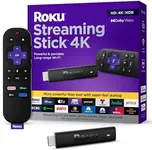
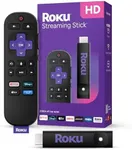
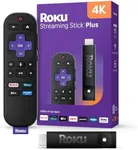
Buying Guide for the Best Roku Streaming Sticks
When choosing a Roku streaming stick, it's important to consider your specific needs and preferences to ensure you get the best fit for your entertainment setup. Roku streaming sticks are designed to provide easy access to a wide range of streaming services, but they come with different features and capabilities. Understanding these key specifications will help you make an informed decision and enhance your viewing experience.ResolutionResolution refers to the clarity and detail of the video output. Higher resolutions provide a sharper and more detailed picture. Roku streaming sticks typically offer resolutions ranging from HD (720p) to 4K Ultra HD (2160p). If you have a 4K TV and want the best picture quality, opt for a 4K streaming stick. For older TVs or if you are not as concerned with ultra-high definition, an HD or Full HD (1080p) stick will suffice.
HDR SupportHDR (High Dynamic Range) enhances the contrast and color range of the video, providing a more vibrant and realistic picture. Some Roku streaming sticks support HDR formats like HDR10, Dolby Vision, or HLG. If you have an HDR-compatible TV and want to experience richer colors and better contrast, choose a streaming stick with HDR support. If your TV does not support HDR, this feature may not be necessary for you.
Wi-Fi ConnectivityWi-Fi connectivity determines how well the streaming stick can connect to your home network. Roku streaming sticks typically offer either single-band (2.4 GHz) or dual-band (2.4 GHz and 5 GHz) Wi-Fi. Dual-band Wi-Fi provides a more stable and faster connection, especially in environments with a lot of wireless interference. If you have a high-speed internet connection and multiple devices connected to your network, a dual-band Wi-Fi stick is recommended. For simpler setups, single-band Wi-Fi may be sufficient.
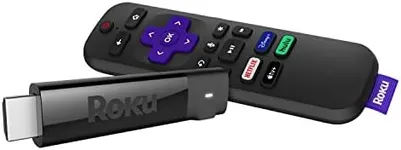
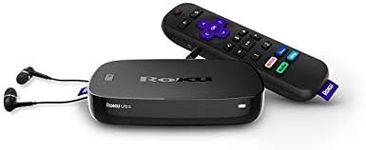
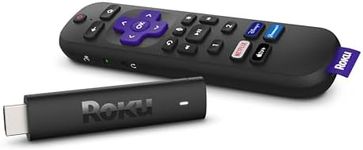
Remote Control FeaturesThe remote control that comes with the Roku streaming stick can have various features, such as voice control, private listening, and shortcut buttons for popular streaming services. Voice control allows you to search for content and control playback using voice commands, which can be very convenient. Private listening lets you listen to the TV audio through headphones connected to the remote, ideal for late-night viewing. Consider which remote features are important to you and choose a streaming stick that includes them.
Streaming Service CompatibilityRoku streaming sticks support a wide range of streaming services, but some models may offer additional features or better performance with certain services. Ensure that the streaming stick you choose supports all the services you plan to use, such as Netflix, Hulu, Amazon Prime Video, Disney+, and others. Additionally, check if the stick offers any exclusive features or optimizations for your favorite services.
PortabilityPortability refers to how easy it is to move and set up the streaming stick in different locations. Roku streaming sticks are generally compact and easy to transport, making them ideal for travel or use in multiple rooms. If you plan to use the streaming stick in various locations, look for a model that is lightweight and easy to set up, with minimal cables and accessories required.