Buying Guide for the Best Roku HD Devices
When choosing a Roku HD device, it's important to consider your specific needs and preferences to ensure you get the best streaming experience. Roku devices come with various features and capabilities, so understanding these key specifications will help you make an informed decision. Here are the main specs to consider and how to navigate them.ResolutionResolution refers to the clarity and detail of the video displayed on your screen. Higher resolutions provide a sharper and more detailed picture. Roku devices typically offer resolutions ranging from 720p (HD) to 4K (Ultra HD). If you have a 4K TV and want the best picture quality, opt for a Roku device that supports 4K resolution. For older TVs or if you are not as concerned with ultra-high definition, a 1080p (Full HD) device may be sufficient.
HDR SupportHDR (High Dynamic Range) enhances the contrast and color range of the video, providing a more vibrant and realistic viewing experience. There are different types of HDR, such as HDR10, Dolby Vision, and HLG. If you have an HDR-compatible TV and want the best possible picture quality, choose a Roku device that supports HDR. If your TV does not support HDR, this feature may not be necessary for you.
Processor SpeedThe processor speed of a Roku device affects how quickly it can load apps and stream content. Faster processors provide smoother performance and quicker navigation. Roku devices with quad-core processors are generally faster and more responsive than those with dual-core processors. If you plan to use your Roku device for heavy streaming or gaming, a faster processor will enhance your experience. For basic streaming needs, a device with a slower processor may still perform adequately.
Storage CapacityStorage capacity determines how many apps and channels you can install on your Roku device. While most Roku devices come with enough storage for the average user, some models offer expandable storage via a microSD card slot. If you plan to install a large number of apps or games, consider a device with more storage or expandable storage options. For casual users, the built-in storage of most Roku devices should be sufficient.
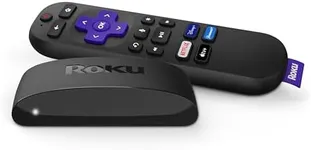
Remote Control FeaturesRoku remotes come with various features, such as voice control, private listening (via headphone jack), and programmable shortcut buttons. Voice control allows you to search for content and control your device using voice commands, which can be very convenient. Private listening lets you listen to your TV through headphones, which is useful for late-night viewing. If these features are important to you, look for a Roku device that includes an enhanced remote. If you prefer a simpler remote, a basic model may be more suitable.
Connectivity OptionsConnectivity options include Wi-Fi and Ethernet ports. Most Roku devices connect to the internet via Wi-Fi, but some models also offer an Ethernet port for a more stable wired connection. If you have a strong Wi-Fi signal, a Wi-Fi-only device should work well. However, if your Wi-Fi is unreliable or you prefer a wired connection, choose a Roku device with an Ethernet port. Additionally, consider the HDMI version supported by the device, as newer versions offer better performance and compatibility with modern TVs.
Audio OutputAudio output options on Roku devices can include HDMI, optical audio, and Bluetooth. HDMI is the most common and provides high-quality audio and video through a single cable. Optical audio is useful if you want to connect your Roku device to a soundbar or home theater system. Bluetooth allows you to connect wireless headphones or speakers. Choose a Roku device with the audio output options that best match your existing equipment and preferences.