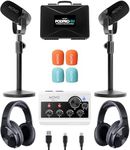
Buying Guide for the Best Podcast Equipment
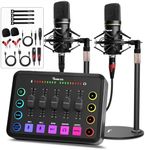
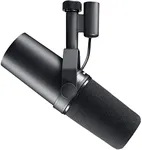
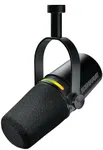
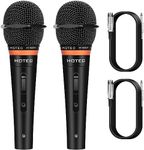
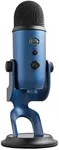
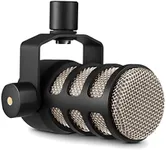
Choosing the right podcast equipment is crucial for producing high-quality audio content. The right gear can make a significant difference in the clarity, professionalism, and overall sound of your podcast. When selecting podcast equipment, it's important to consider your specific needs, the type of content you plan to create, and your recording environment. Here are some key specifications to consider when choosing podcast equipment and how to navigate them to find the best fit for you.MicrophoneThe microphone is the most critical piece of podcast equipment as it captures your voice. There are two main types: dynamic and condenser microphones. Dynamic microphones are durable and handle loud sounds well, making them ideal for noisy environments or live recordings. Condenser microphones are more sensitive and capture a wider range of frequencies, providing a richer sound, but they are best used in quiet, controlled environments. Choose a dynamic microphone if you are recording in a less controlled environment or on the go. Opt for a condenser microphone if you have a quiet recording space and want the highest sound quality.
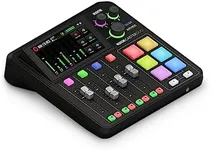
Audio InterfaceAn audio interface converts your microphone's analog signal into a digital signal that your computer can process. This is important for maintaining sound quality and reducing latency. Audio interfaces come with different numbers of inputs and outputs. If you are recording solo, a simple interface with one or two inputs will suffice. For multiple hosts or guests, look for an interface with more inputs. Consider the connectivity options (USB, Thunderbolt) to ensure compatibility with your computer.
HeadphonesHeadphones are essential for monitoring your recordings and editing your podcast. They help you catch any background noise or audio issues in real-time. There are two main types: closed-back and open-back headphones. Closed-back headphones provide better isolation from external noise, making them ideal for recording. Open-back headphones offer a more natural sound but are better suited for editing in a quiet environment. Choose closed-back headphones for recording sessions and open-back headphones for detailed editing work.
Pop FilterA pop filter is a screen that sits between your mouth and the microphone to reduce plosive sounds (like 'p' and 'b' sounds) that can cause distortion. This is important for maintaining clear and professional audio quality. Pop filters are generally inexpensive and easy to attach to any microphone stand. If you notice harsh plosive sounds in your recordings, a pop filter is a simple and effective solution.
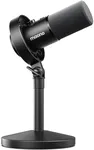
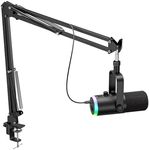
Microphone StandA microphone stand holds your microphone in place, allowing you to maintain a consistent distance and angle while recording. This is important for achieving consistent audio levels and reducing handling noise. There are various types of stands, including desktop stands, boom arms, and floor stands. Choose a desktop stand if you have limited space, a boom arm for flexibility and easy adjustment, or a floor stand for a more permanent setup.
Acoustic TreatmentAcoustic treatment involves using materials to control the sound reflections in your recording space, reducing echo and background noise. This is important for achieving a clean and professional sound. Acoustic panels, foam, and bass traps are common treatments. If you are recording in a room with hard surfaces, consider adding some acoustic treatment to improve sound quality. Start with basic foam panels and add more as needed based on your recording environment.
Recording SoftwareRecording software, also known as a digital audio workstation (DAW), is used to record, edit, and produce your podcast. This is important for managing your audio files and applying effects or enhancements. There are many DAWs available, ranging from simple and user-friendly to complex and feature-rich. Choose a DAW that matches your level of experience and the complexity of your podcast. Beginners might prefer a simpler interface, while more experienced users might look for advanced features.