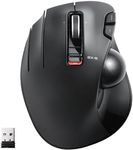
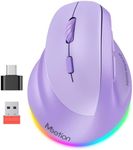
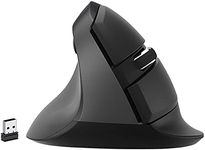
Buying Guide for the Best Mice For Left Handers
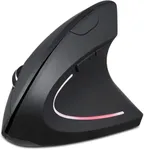
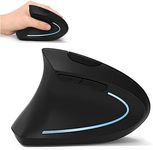
Choosing the right mouse for left-handers can significantly improve comfort and productivity. Left-handed mice are designed to fit the natural hand position of left-handed users, reducing strain and enhancing control. When selecting a mouse, consider the shape, size, button configuration, and additional features that match your specific needs and preferences. Understanding the key specifications will help you make an informed decision and find the best fit for your hand and usage style.ErgonomicsErgonomics refers to how well the mouse fits the natural shape and movement of your hand. This is crucial for preventing strain and discomfort during extended use. Left-handed mice are specifically designed to accommodate the left hand, with contours and button placements that align with left-handed use. When choosing a mouse, consider whether you prefer a symmetrical design (which can be used by both hands) or a dedicated left-handed design. Try to find a mouse that feels comfortable in your hand and supports your wrist and fingers naturally.
SizeThe size of the mouse affects how comfortably it fits in your hand. Mice come in various sizes, from compact travel mice to larger, full-sized models. A mouse that is too small may cause your hand to cramp, while one that is too large may be difficult to control. To find the right size, consider the size of your hand and how you grip the mouse. If you have smaller hands or prefer a fingertip grip, a smaller mouse may be more suitable. For larger hands or a palm grip, a bigger mouse might be more comfortable.
Button ConfigurationButton configuration refers to the number and placement of buttons on the mouse. This is important for both functionality and comfort. Left-handed mice often have buttons mirrored from right-handed models, making them easier to use for left-handed users. Consider how many buttons you need based on your typical usage. Basic models have the standard left and right buttons and a scroll wheel, while more advanced models may include additional programmable buttons for shortcuts and gaming. Choose a configuration that matches your needs, whether for simple navigation or complex tasks.
DPI (Dots Per Inch)DPI measures the sensitivity of the mouse, indicating how much the cursor moves on the screen in response to your movements. Higher DPI settings allow for faster cursor movement, which can be useful for gaming or high-resolution displays, while lower DPI settings offer more precise control, ideal for tasks like graphic design. Many mice offer adjustable DPI settings, allowing you to switch between different levels based on your activity. Consider your primary use for the mouse and choose a DPI range that suits your needs. For general use, a DPI range of 800-1600 is usually sufficient.
ConnectivityConnectivity options include wired and wireless mice. Wired mice connect directly to your computer via a USB cable, providing a stable connection and eliminating the need for batteries. Wireless mice offer more freedom of movement and a cleaner workspace, connecting via Bluetooth or a USB receiver. When choosing between wired and wireless, consider your workspace setup and how much mobility you need. If you prefer a clutter-free desk and don't mind recharging or replacing batteries, a wireless mouse might be the best choice. For uninterrupted use and no battery concerns, a wired mouse is ideal.
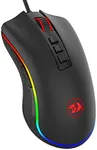
Additional FeaturesAdditional features can enhance the functionality and convenience of your mouse. These may include customizable buttons, adjustable weights, RGB lighting, and ergonomic enhancements like thumb rests. Think about what extra features would benefit your usage. For example, customizable buttons can improve productivity by allowing you to set shortcuts for frequently used functions. Adjustable weights can help you find the perfect balance for your hand. RGB lighting is more of an aesthetic feature but can add a personal touch to your setup. Choose features that align with your preferences and enhance your overall experience.