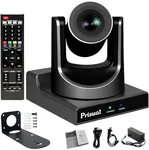
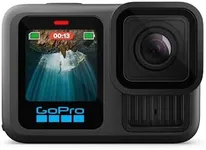
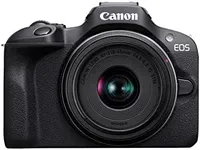
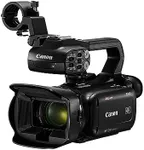
Buying Guide for the Best Live Stream Cameras
Choosing the right live-stream camera can significantly enhance the quality of your broadcasts, whether you're streaming for professional purposes, gaming, or personal vlogging. The right camera will depend on your specific needs, such as the type of content you create, the environment in which you stream, and the level of quality you want to achieve. Here are some key specifications to consider when selecting a live-stream camera, along with explanations to help you make an informed decision.ResolutionResolution refers to the number of pixels that make up the image captured by the camera. Higher resolution means more detail and clarity. Common resolutions include 720p (HD), 1080p (Full HD), and 4K (Ultra HD). If you want a crisp and clear image, especially for professional streaming, 1080p or 4K is recommended. For casual streaming, 720p might be sufficient. Consider your platform's capabilities and your audience's viewing preferences when choosing the resolution.
Frame RateFrame rate is the number of frames captured per second (fps). Higher frame rates result in smoother video. Standard frame rates are 30fps and 60fps. For most live streaming, 30fps is adequate, but if you are streaming fast-paced content like gaming or sports, 60fps will provide a smoother experience. Choose a frame rate that matches the type of content you are producing and the expectations of your audience.
Low Light PerformanceLow light performance indicates how well a camera can capture clear images in dim lighting conditions. This is important if you stream in environments with poor lighting. Cameras with larger sensors and better ISO performance will handle low light better. If you often stream in low-light settings, look for cameras with good low light performance to ensure your video remains clear and detailed.
AutofocusAutofocus is the camera's ability to automatically adjust the lens to keep the subject in focus. This is crucial for live streaming, where you might move around or change the distance from the camera. Fast and accurate autofocus ensures that your video remains sharp and clear without manual adjustments. If you plan to move a lot during your streams, prioritize cameras with reliable autofocus.
ConnectivityConnectivity options determine how you can connect your camera to your streaming setup. Common options include USB, HDMI, and Wi-Fi. USB is convenient for plug-and-play use with computers, while HDMI provides higher quality video output for more professional setups. Wi-Fi allows for wireless streaming and remote control. Choose a camera with connectivity options that match your streaming setup and workflow.
Audio QualityAudio quality is as important as video quality in live streaming. Some cameras come with built-in microphones, but external microphones often provide better sound. Look for cameras with good built-in audio or the ability to connect external microphones. If high-quality audio is crucial for your streams, ensure the camera supports external audio input.
Field of View (FOV)Field of View (FOV) is the extent of the observable area captured by the camera. A wider FOV can capture more of the scene, which is useful for group streams or showing more background. Narrower FOV focuses more on the subject. Choose a FOV that suits your streaming environment and the type of content you create. For solo streams, a narrower FOV might be better, while a wider FOV is ideal for group activities or showcasing a larger area.