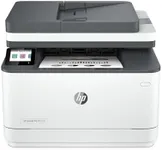
Buying Guide for the Best HP Printers And Scanners
When choosing an HP printer or scanner, it's important to consider your specific needs and how you plan to use the device. Whether you need it for home, office, or professional use, understanding the key specifications will help you make an informed decision. Here are some important specs to consider and how to navigate them to find the best fit for you.Print TechnologyPrint technology refers to the method a printer uses to produce text and images on paper. The most common types are inkjet and laser. Inkjet printers are versatile and can handle a variety of media types, making them ideal for home use and photo printing. Laser printers are faster and more cost-effective for high-volume printing, making them suitable for office environments. Choose inkjet if you need high-quality color prints and photos, and laser if you need fast, efficient printing for documents.
Print SpeedPrint speed is measured in pages per minute (PPM) and indicates how quickly a printer can produce documents. This is important if you need to print large volumes of documents regularly. For home use, a lower PPM (around 10-20) is usually sufficient. For office use, look for higher PPM (20-40 or more) to ensure efficiency. Consider your typical print volume and how often you need to print quickly to determine the right print speed for you.
Print ResolutionPrint resolution, measured in dots per inch (DPI), determines the quality and clarity of the printed output. Higher DPI means better print quality. For general document printing, 600 DPI is usually adequate. For high-quality photo printing or professional graphics, look for printers with 1200 DPI or higher. Think about the type of documents or images you will be printing most often to decide the necessary print resolution.
Connectivity OptionsConnectivity options refer to how the printer or scanner connects to your devices. Common options include USB, Wi-Fi, Ethernet, and Bluetooth. Wi-Fi and Ethernet are ideal for office environments where multiple users need to access the printer. USB is straightforward for direct connections to a single computer. Bluetooth is useful for printing from mobile devices. Consider your setup and how you prefer to connect your devices to choose the right connectivity options.
Duplex PrintingDuplex printing allows a printer to print on both sides of a sheet of paper automatically. This feature is important for saving paper and reducing printing costs. It's particularly useful in office settings where large documents are printed regularly. If you frequently print double-sided documents, look for a printer with automatic duplex printing. For occasional use, manual duplex printing (where you flip the paper yourself) may be sufficient.
Scanner ResolutionScanner resolution, also measured in DPI, affects the clarity and detail of scanned images and documents. Higher resolution is important for scanning photos and detailed graphics. For general document scanning, 300 DPI is usually enough. For high-quality photo scanning, look for scanners with 600 DPI or higher. Consider what you will be scanning most often to determine the necessary scanner resolution.
ADF (Automatic Document Feeder)An Automatic Document Feeder (ADF) allows a scanner to automatically feed multiple pages for scanning, copying, or faxing. This is a valuable feature for office environments where large volumes of documents need to be processed quickly. If you frequently scan multi-page documents, an ADF can save you a lot of time. For occasional scanning of single pages, a flatbed scanner without ADF may be sufficient.
Paper Handling CapacityPaper handling capacity refers to the number of sheets a printer can hold at one time. This includes input and output trays. Higher capacity is important for office environments to reduce the frequency of refilling paper. For home use, a lower capacity (around 100-150 sheets) is usually sufficient. For office use, look for higher capacities (250 sheets or more) to ensure smooth operation without frequent interruptions.