Buying Guide for the Best High Resolution Photo Scanners
When choosing a high-resolution photo scanner, it's important to consider several key specifications to ensure you get the best fit for your needs. High-resolution photo scanners are essential for digitizing photographs, artwork, and other documents with great detail and clarity. Understanding the key specs will help you make an informed decision and ensure that the scanner you choose meets your specific requirements.ResolutionResolution is measured in dots per inch (DPI) and indicates the level of detail the scanner can capture. Higher DPI values mean more detail and clarity in the scanned image. For general photo scanning, a resolution of 300-600 DPI is usually sufficient. However, for professional use or archiving, you might want a scanner with 1200 DPI or higher. Consider what you will be scanning and choose a resolution that matches your needs.
Color DepthColor depth, measured in bits, determines the number of colors the scanner can capture. Higher color depth results in more accurate and vibrant colors. Most photo scanners offer 24-bit color depth, which is adequate for most users. For professional photographers or artists who need the highest color accuracy, a 48-bit color depth scanner would be more suitable. Think about the importance of color accuracy in your work to decide on the right color depth.
Scanning SpeedScanning speed is how quickly a scanner can process an image, usually measured in seconds per page. Faster scanning speeds are beneficial if you have a large number of photos to scan. If you are scanning occasionally or in small batches, speed may not be as critical. Consider how often and how much you will be scanning to determine the importance of scanning speed for you.
ConnectivityConnectivity options include USB, Wi-Fi, and sometimes Ethernet. USB is the most common and reliable, but Wi-Fi allows for wireless scanning and can be more convenient if you want to scan directly to a computer or cloud service. Think about your workspace setup and how you prefer to transfer scanned images to your devices when choosing the connectivity option.
Software CompatibilityThe software that comes with the scanner can greatly affect your scanning experience. Look for scanners that come with user-friendly software that meets your needs, such as image editing, organizing, and sharing features. Ensure the software is compatible with your operating system. Consider what kind of post-processing you will need and choose a scanner with software that supports those tasks.
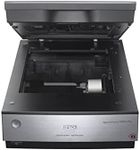
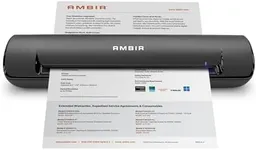
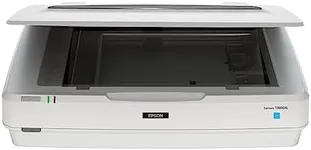
Size and PortabilityThe physical size and portability of the scanner can be important, especially if you have limited space or need to move the scanner frequently. Flatbed scanners are larger but can handle a variety of media sizes, while portable scanners are smaller and easier to store but may have limitations in media size. Think about where you will be using the scanner and how often you will need to move it to decide on the right size and portability.
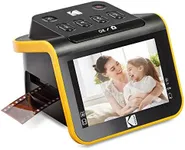
Media HandlingConsider what types of media you will be scanning. Some scanners are designed to handle a variety of media, including photos, slides, negatives, and documents. If you need to scan different types of media, look for a versatile scanner that can accommodate your needs. Think about the specific media you will be working with and choose a scanner that can handle those formats.