Buying Guide for the Best Graphing Calculators With Statistical Functions
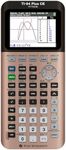
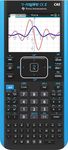
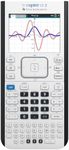
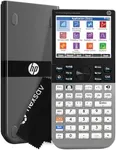
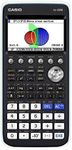
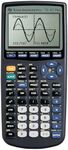
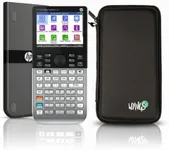
Choosing the right graphing calculator with statistical functions can significantly enhance your learning and productivity, especially if you are a student or professional dealing with complex mathematical problems. The right calculator will not only help you solve equations but also visualize data and perform statistical analysis efficiently. To make an informed decision, you need to consider several key specifications that will determine how well the calculator meets your needs.DisplayThe display of a graphing calculator is crucial because it affects how easily you can read and interpret data. Displays can range from simple monochrome screens to high-resolution color displays. Monochrome screens are usually sufficient for basic graphing and calculations, while color displays can make it easier to distinguish between different graphs and data sets. If you need to visualize complex graphs or work with multiple data sets, a color display might be more beneficial.
MemoryMemory in a graphing calculator determines how much data and how many programs you can store. Calculators with more memory can handle larger data sets and more complex calculations. Memory is typically measured in kilobytes (KB) or megabytes (MB). For basic statistical functions, a calculator with less memory might suffice, but for advanced functions and storing multiple programs, more memory is advantageous. Consider your need for storing data and running complex programs when choosing the memory size.
Statistical FunctionsStatistical functions are the core of what you need in a graphing calculator for statistical analysis. These functions can include mean, median, mode, standard deviation, regression analysis, and more. The more advanced the statistical functions, the more versatile the calculator will be. If you are a student, basic statistical functions might be enough, but for professional or advanced academic work, you might need a calculator with a comprehensive set of statistical tools.
Graphing CapabilitiesGraphing capabilities refer to the calculator's ability to plot and visualize mathematical functions and data sets. This includes the range of functions it can graph, the ease of manipulating graphs, and the clarity of the visual output. Basic graphing calculators can handle simple functions, while more advanced models can plot multiple functions simultaneously and offer 3D graphing. Your choice should depend on the complexity of the graphs you need to work with. For high school math, basic graphing might be enough, but for college-level courses or professional use, advanced graphing capabilities are essential.
ConnectivityConnectivity options, such as USB ports or Bluetooth, allow you to transfer data between your calculator and other devices like computers or other calculators. This can be particularly useful for backing up data, sharing programs, or importing/exporting data sets. If you frequently need to transfer data or collaborate with others, a calculator with good connectivity options will be very beneficial. For those who work mostly independently, this might be less critical.
Battery LifeBattery life is an important consideration, especially if you use your calculator frequently or for extended periods. Some calculators use replaceable batteries, while others have rechargeable batteries. Longer battery life means less frequent charging or battery replacement, which can be convenient during exams or fieldwork. If you need a calculator for long study sessions or professional use, look for one with a long battery life or a rechargeable option.
User InterfaceThe user interface includes the layout of the buttons, the menu system, and how intuitive the calculator is to use. A well-designed interface can make it easier to perform calculations and access functions quickly. Some calculators offer customizable interfaces or programmable keys, which can save time if you frequently use certain functions. If you are new to graphing calculators, look for one with a simple and intuitive interface. For more experienced users, advanced customization options might be more appealing.