Buying Guide for the Best Epson Printers For Home Use
When choosing an Epson printer for home use, it's important to consider your specific needs and how different features will meet those needs. Whether you need a printer for occasional document printing, photo printing, or a mix of both, understanding the key specifications will help you make an informed decision. Here are some key specs to consider and how to navigate them to find the best fit for you.Print Quality (Resolution)Print quality, measured in dots per inch (DPI), determines how sharp and detailed your printed documents and photos will be. Higher DPI values mean better print quality. For general document printing, a resolution of 600 x 600 DPI is usually sufficient. If you plan to print high-quality photos, look for a printer with at least 1200 x 1200 DPI or higher. Consider your primary use: if you need crisp text and occasional photo prints, a mid-range DPI will suffice. For professional photo printing, opt for the highest DPI available.
Print SpeedPrint speed, measured in pages per minute (PPM), indicates how quickly a printer can produce documents. This is important if you need to print large volumes of documents regularly. For home use, a print speed of 10-20 PPM is generally adequate. If you print infrequently or in small batches, a lower PPM will not be an issue. However, if you often print lengthy documents or multiple copies, a higher PPM will save you time.
Connectivity OptionsConnectivity options determine how you can connect your printer to your devices. Common options include USB, Wi-Fi, and Ethernet. Wi-Fi connectivity is particularly useful for home use, allowing you to print wirelessly from multiple devices, including smartphones and tablets. If you have a home office setup, Ethernet might be beneficial for a stable connection. Consider your home network setup and how you prefer to print when choosing connectivity options.
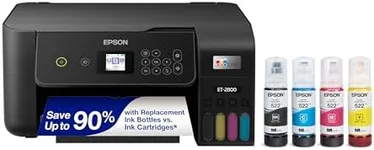
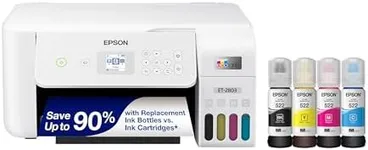
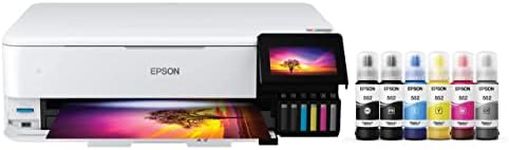
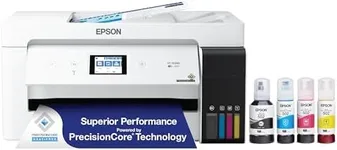
Ink Type and CostEpson printers use different types of ink, such as dye-based or pigment-based. Dye-based inks are generally better for photo printing due to their vibrant colors, while pigment-based inks are more durable and better for text documents. Additionally, consider the cost of replacement ink cartridges and the printer's ink efficiency. If you print frequently, look for models with high-yield cartridges or EcoTank systems that offer lower cost per page. Assess your printing habits to determine which ink type and cost structure will be most economical for you.
Paper HandlingPaper handling refers to the types and sizes of paper a printer can accommodate, as well as its paper tray capacity. For home use, a printer with a standard paper tray capacity of 100-250 sheets is usually sufficient. If you plan to print on different media types, such as photo paper, envelopes, or labels, ensure the printer supports these formats. Consider your typical printing tasks and choose a printer that can handle the paper types and volumes you expect to use.
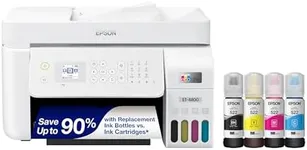
Additional FeaturesAdditional features like scanning, copying, and faxing can add versatility to your printer. All-in-one models that include these functions can be very convenient for home use, especially if you need to digitize documents or make copies frequently. Other useful features might include automatic duplex printing (printing on both sides of the paper) and an automatic document feeder (ADF) for scanning multiple pages at once. Think about which extra functionalities will be beneficial for your daily tasks and choose a printer that offers those features.