Buying Guide for the Best Combination Sewing Embroidery Machines
Choosing the right combination sewing and embroidery machine can be a rewarding experience, as it allows you to explore both sewing and embroidery projects with a single device. To make the best choice, it's important to understand the key specifications and how they align with your needs. Here are some essential specs to consider and how to navigate them.Stitch OptionsStitch options refer to the variety of stitches the machine can perform, including basic, decorative, and embroidery stitches. This spec is important because it determines the versatility of the machine. If you are a beginner, a machine with a good selection of basic and decorative stitches will suffice. For more advanced users, a machine with a wide range of embroidery stitches and customization options will be more suitable. Consider what types of projects you plan to work on and choose a machine that offers the appropriate stitch options for those needs.
Embroidery AreaThe embroidery area is the maximum size of the design that the machine can embroider in one go. This is important because it limits the size of the designs you can create. Smaller embroidery areas (4x4 inches) are suitable for simple designs and smaller projects, while larger areas (6x10 inches or more) are better for more complex and larger designs. Think about the scale of your embroidery projects and choose a machine with an embroidery area that matches your creative ambitions.
Built-in DesignsBuilt-in designs are the pre-loaded embroidery patterns that come with the machine. This spec is important because it provides you with ready-to-use designs, saving you time and effort. Machines with a larger number of built-in designs offer more variety and inspiration. If you prefer having a wide selection of designs at your fingertips, look for a machine with a substantial library of built-in designs. However, if you plan to create your own designs or download them from the internet, this spec may be less critical.
ConnectivityConnectivity refers to the machine's ability to connect to a computer or the internet, often via USB or Wi-Fi. This is important for importing new embroidery designs and updating the machine's software. Machines with USB ports allow you to transfer designs from your computer, while Wi-Fi-enabled machines can download designs directly from the internet. If you want to expand your design library and keep your machine up-to-date, choose a machine with good connectivity options.
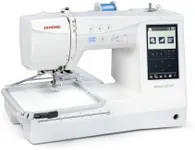
Screen TypeThe screen type on a combination sewing and embroidery machine can range from basic LCD screens to full-color touchscreens. This spec is important because it affects how easy it is to navigate the machine's features and settings. Basic screens may require more manual input, while touchscreens offer a more intuitive and user-friendly experience. If you value ease of use and a modern interface, opt for a machine with a high-quality touchscreen.
Automatic FeaturesAutomatic features include functions like automatic needle threading, thread cutting, and tension adjustment. These features are important because they simplify the sewing and embroidery process, making it more efficient and less time-consuming. Beginners will benefit from machines with more automatic features, as they reduce the learning curve. Advanced users may also appreciate these features for the convenience they offer. Consider how much you value ease of use and efficiency when evaluating automatic features.
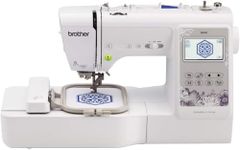
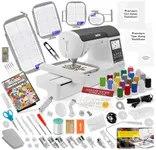
Hoop SizesHoop sizes refer to the different sizes of hoops that come with the machine for holding fabric in place during embroidery. This is important because different projects may require different hoop sizes. Smaller hoops are ideal for detailed, small-scale designs, while larger hoops are necessary for bigger projects. If you plan to work on a variety of projects, choose a machine that offers multiple hoop sizes to accommodate your needs.