Buying Guide for the Best Color Label Makers
Choosing the right color label maker can be a game-changer for organizing your home, office, or any other space. A color label maker allows you to create vibrant, easy-to-read labels that can help you keep everything in order. When selecting a color label maker, it's important to consider several key specifications to ensure you get the best fit for your needs. Here are the most important specs to look at and how to navigate them.Print ResolutionPrint resolution refers to the clarity and detail of the labels produced by the label maker. It is measured in dots per inch (DPI). Higher DPI means sharper and more detailed labels. If you need labels with fine details or small text, look for a higher DPI (300 DPI or more). For general use, a lower DPI (around 200 DPI) may suffice. Consider what you will be labeling and choose a resolution that meets those needs.
Print SpeedPrint speed indicates how quickly the label maker can produce labels, usually measured in millimeters per second (mm/s). Faster print speeds are beneficial if you need to create a large number of labels in a short time. For occasional or home use, a slower print speed may be acceptable. Think about how often and how many labels you will be printing to determine the right print speed for you.
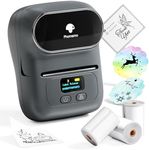
Connectivity OptionsConnectivity options refer to how the label maker connects to other devices, such as computers, smartphones, or tablets. Common options include USB, Bluetooth, and Wi-Fi. USB connections are reliable for direct connections to a computer. Bluetooth and Wi-Fi offer wireless convenience, allowing you to print from multiple devices. Consider your workflow and whether you need the flexibility of wireless printing or if a direct connection will suffice.
Label Width CompatibilityLabel width compatibility refers to the range of label sizes that the label maker can handle. Some label makers can print on a variety of widths, while others are limited to specific sizes. If you need versatility for different labeling tasks, look for a model that supports multiple label widths. If your labeling needs are more specific, a model that supports the exact width you need will be sufficient.
Color Printing CapabilityColor printing capability is the ability of the label maker to print in multiple colors. This feature is important for creating visually distinct labels that can help with organization and identification. Some label makers offer full-color printing, while others may only support a limited range of colors. Consider how you plan to use the labels and whether color coding is important for your organization system.
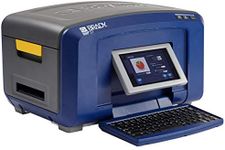
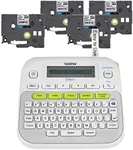
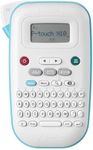
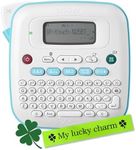
Built-in Keyboard and DisplayA built-in keyboard and display allow you to create and preview labels directly on the label maker without needing a separate device. This feature is convenient for on-the-go labeling and quick adjustments. If you plan to use the label maker in various locations or need to make labels quickly, a built-in keyboard and display can be very useful. If you prefer designing labels on a computer or mobile device, this feature may be less important.
Software CompatibilitySoftware compatibility refers to the label maker's ability to work with different software programs for designing and printing labels. Some label makers come with their own software, while others are compatible with popular design programs. Ensure that the label maker you choose works with the software you are comfortable using or offers features that meet your design needs. This is especially important if you require advanced design options or integration with other systems.
Battery Life and Power OptionsBattery life and power options are important for determining how portable and convenient the label maker is. Some models run on rechargeable batteries, while others use disposable batteries or need to be plugged in. If you need to use the label maker in different locations or on the go, look for models with long battery life or rechargeable options. For stationary use, a plug-in model may be more suitable.